Mike proposes: Approve or Dismiss (Today + Decisions)
Improves liveMike's suggestions sit at the top of Today and Decisions with a one-line reason, so you clear them with one tap instead of reading and replying.
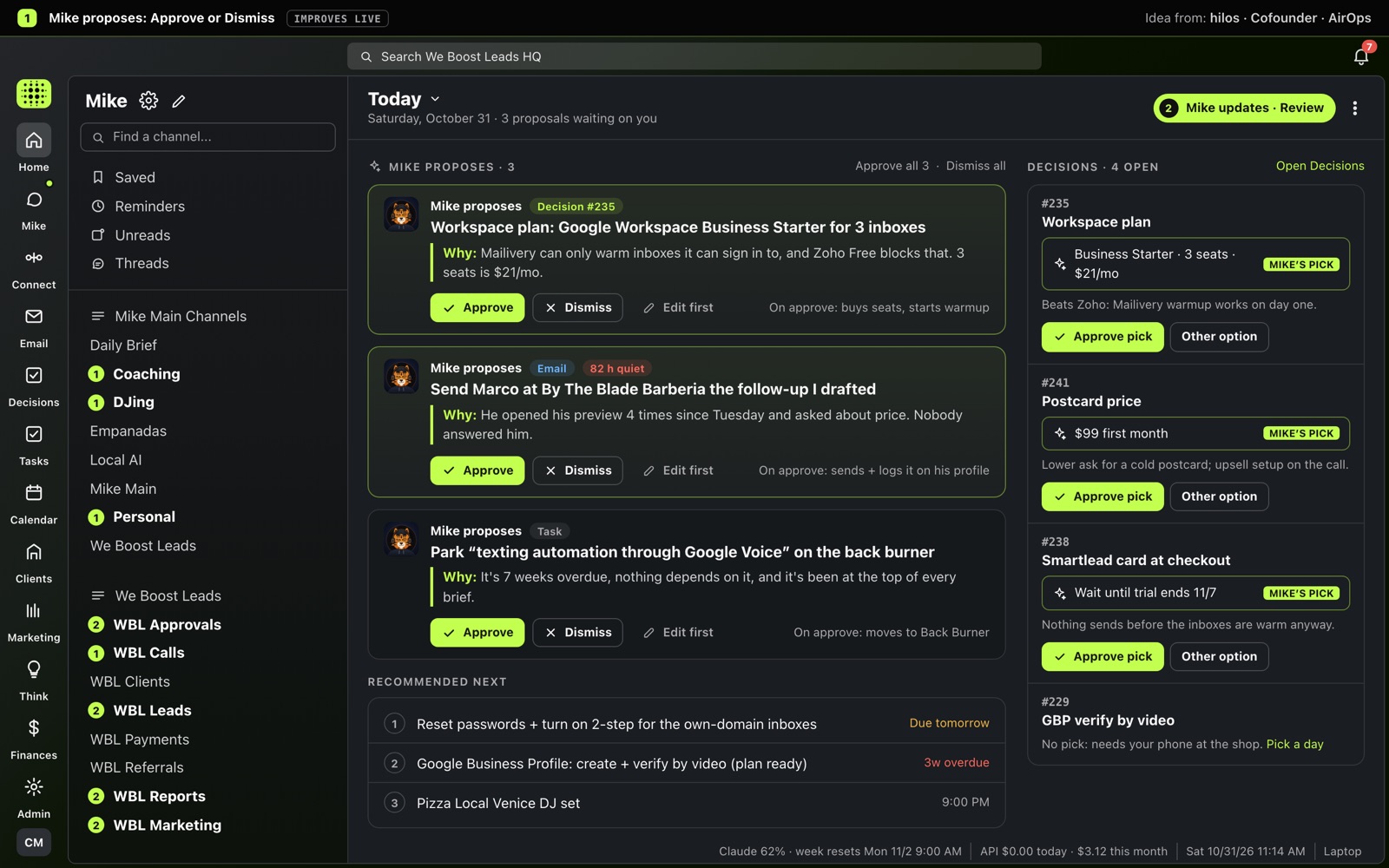
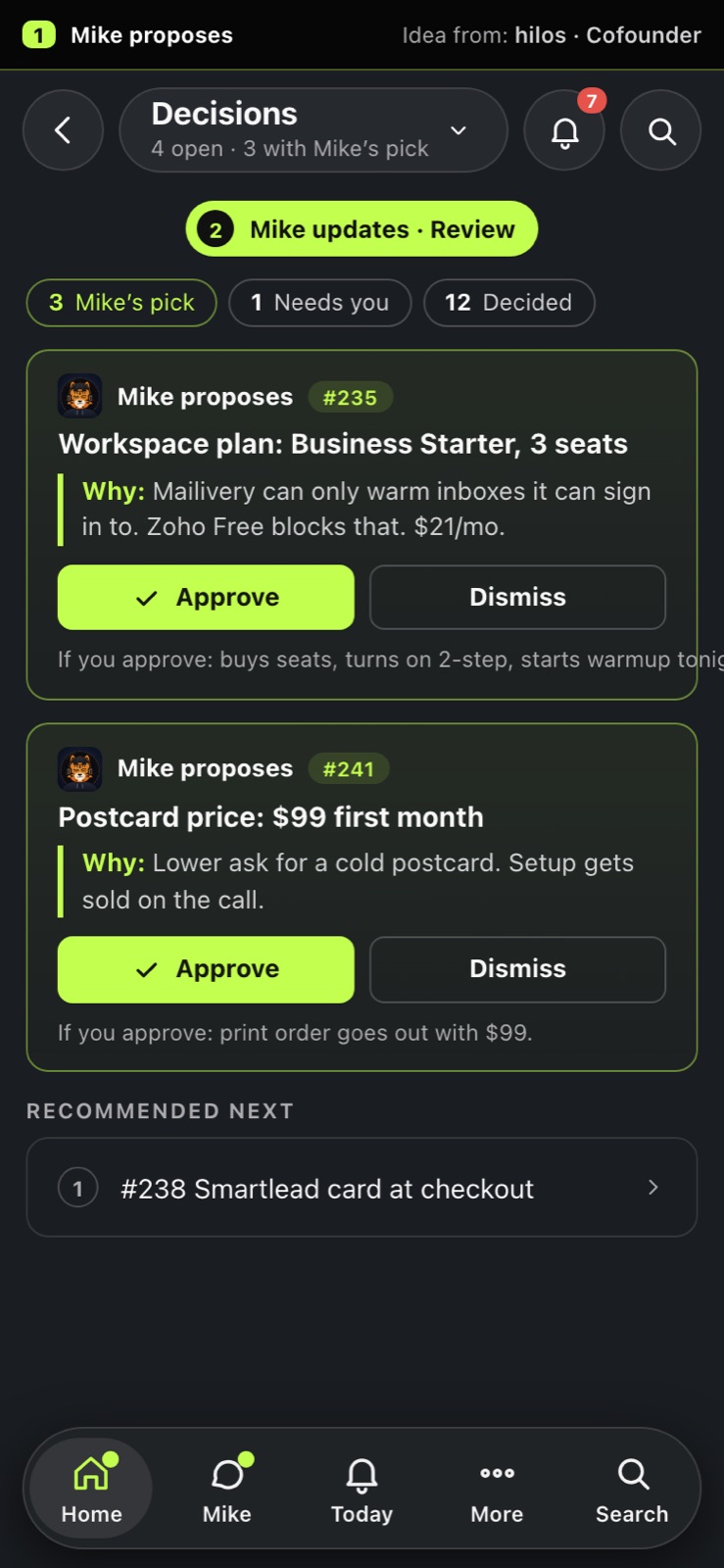
Our versions of what we found on Mobbin, in our own look. Names and numbers are mostly made up. Tap an image to open it full size.
Improvements to HQ you use every day
Mike's suggestions sit at the top of Today and Decisions with a one-line reason, so you clear them with one tap instead of reading and replying.
For every lead who went quiet you see their last email, how long ago it came in, and Mike's reply ready to go: one tap to send.
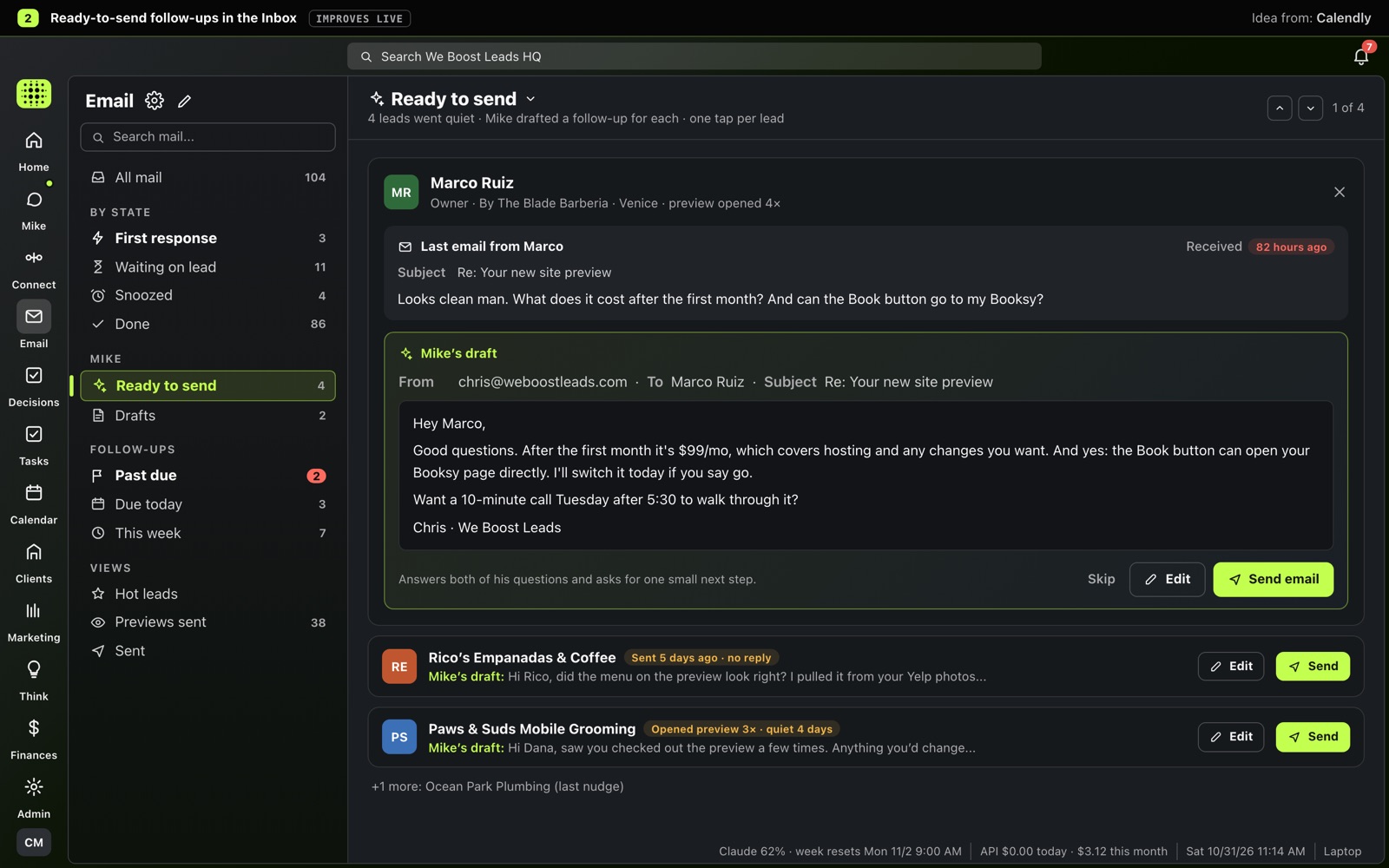
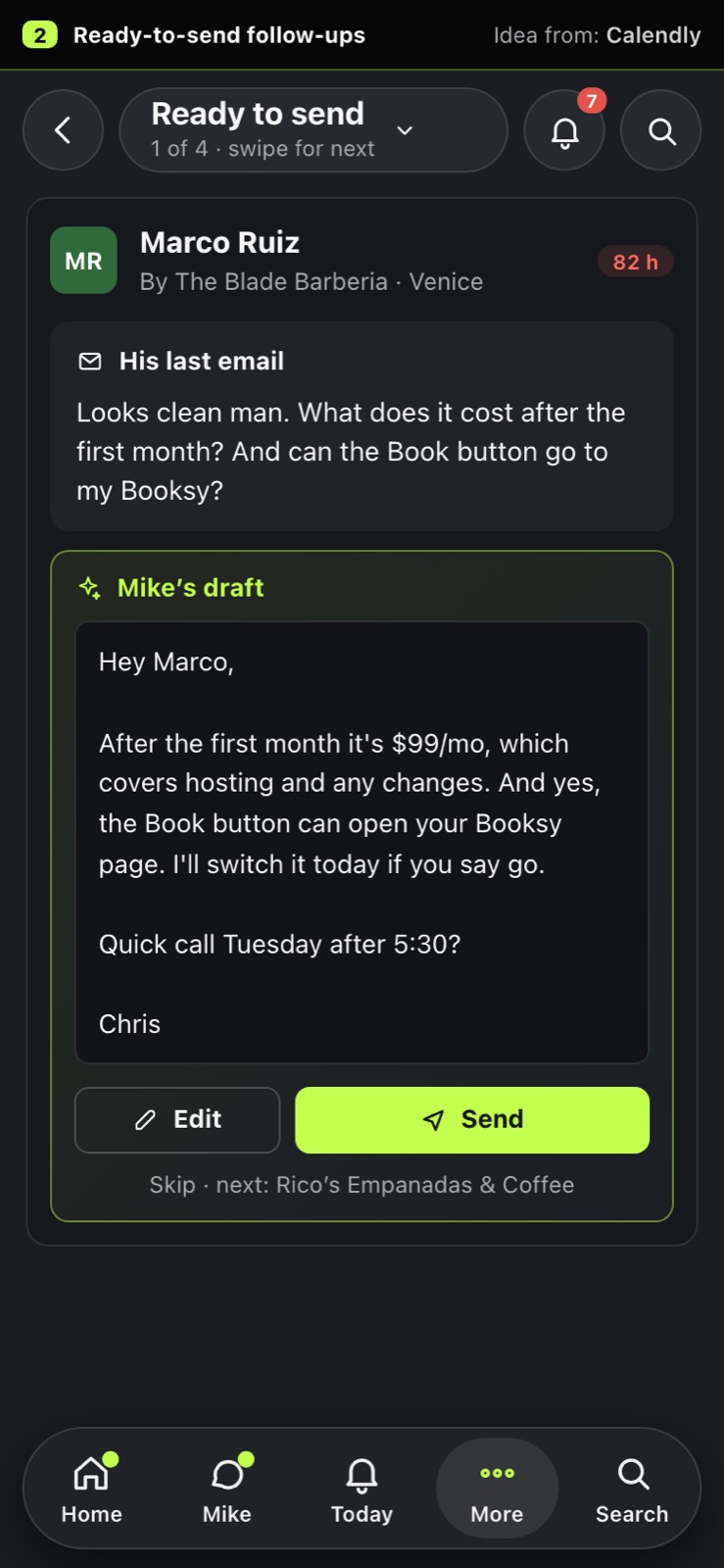
Idea from: Calendly
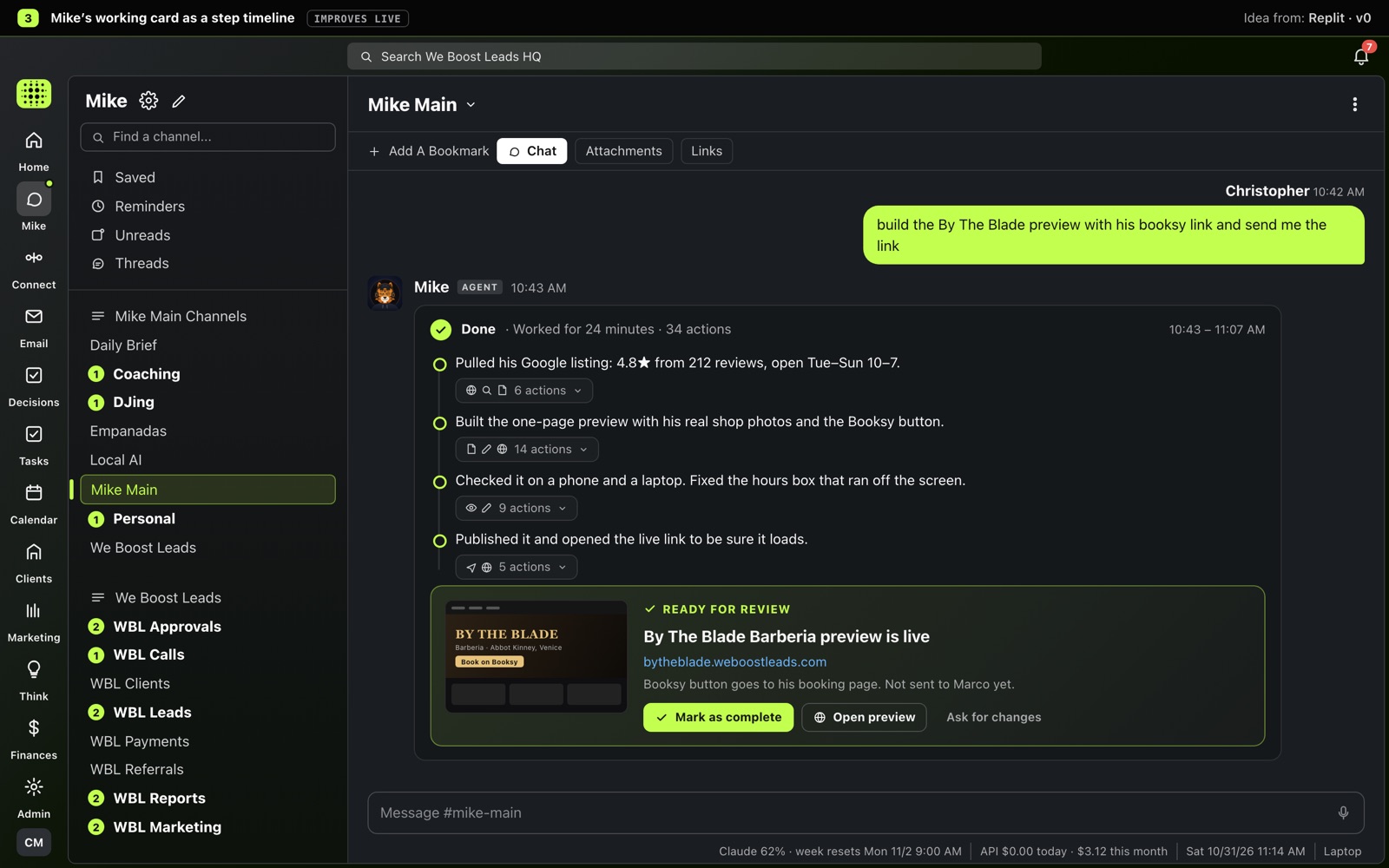
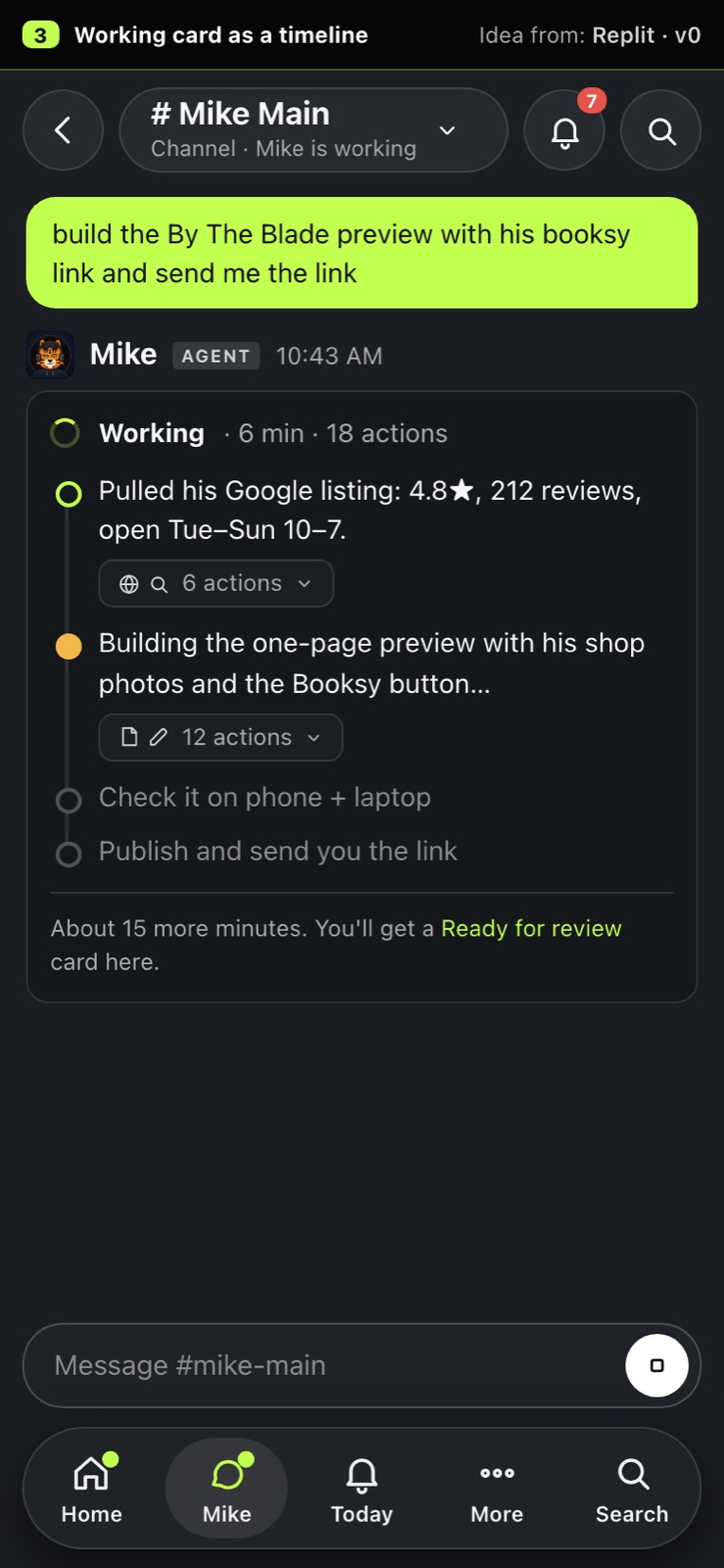
While Mike works you see plain-English steps with the busywork folded into small chips, and it ends on a clear Ready for review card you can mark complete.
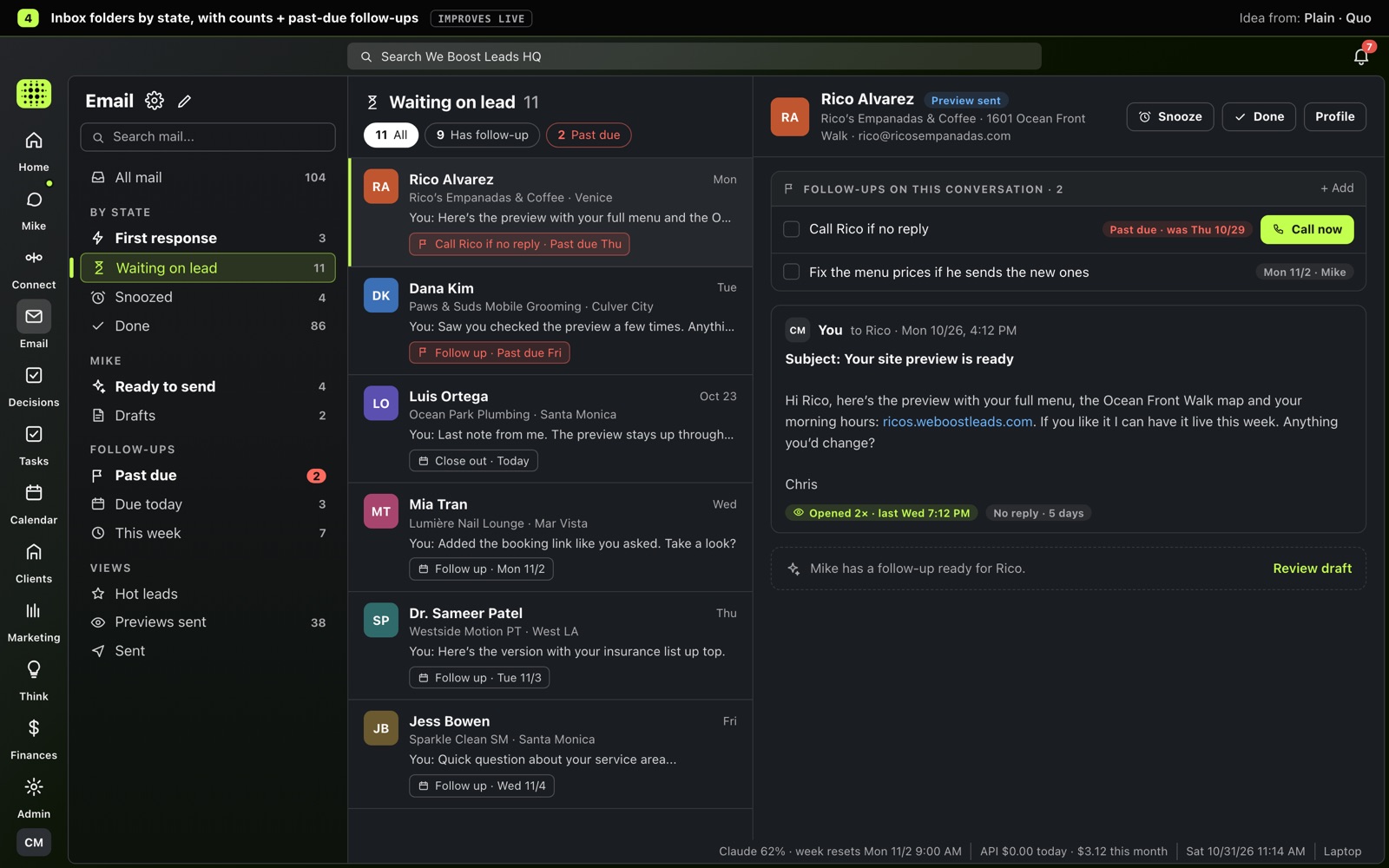
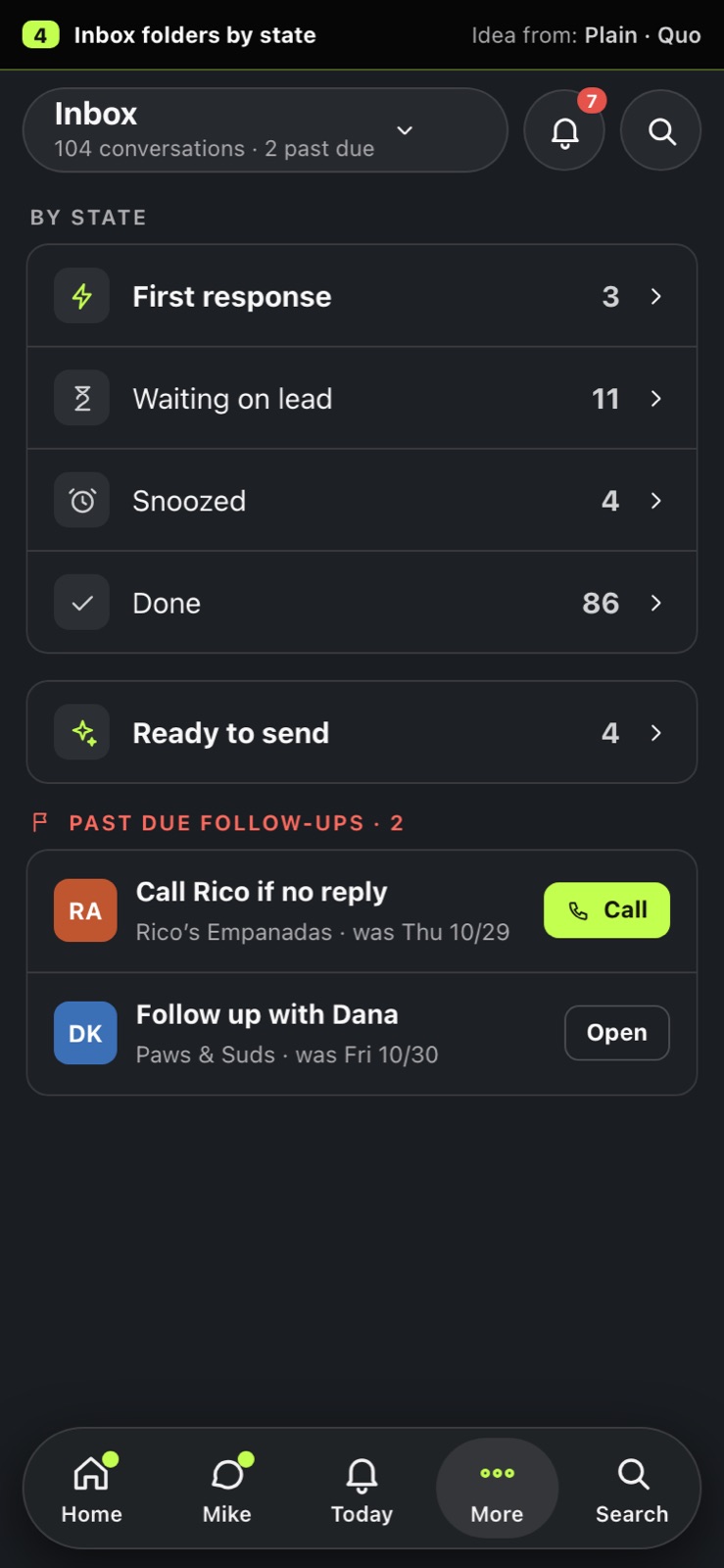
The inbox splits into First response / Waiting on lead / Snoozed / Done with counts, and each conversation shows its follow-up task, flagged red when it's past due.
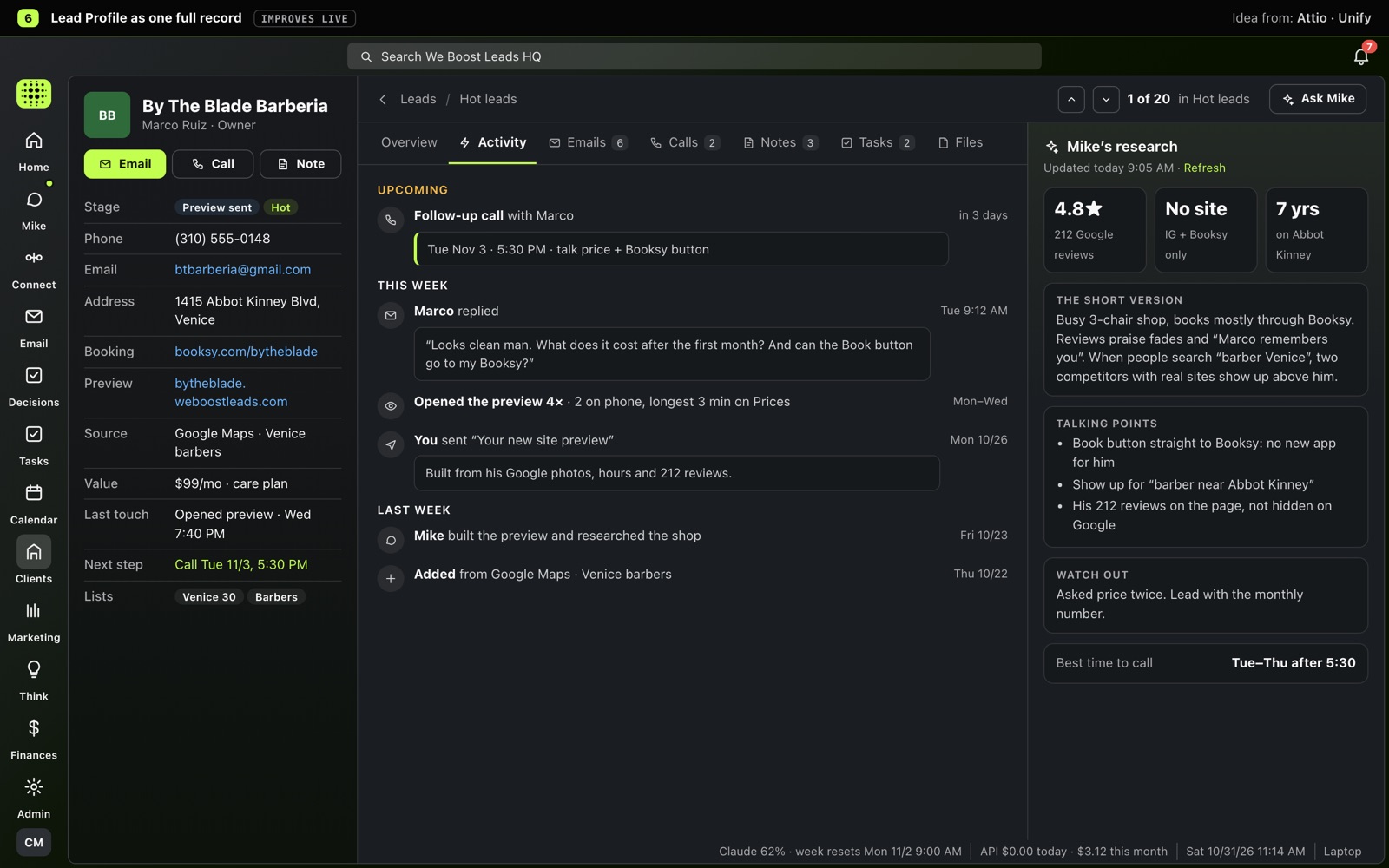
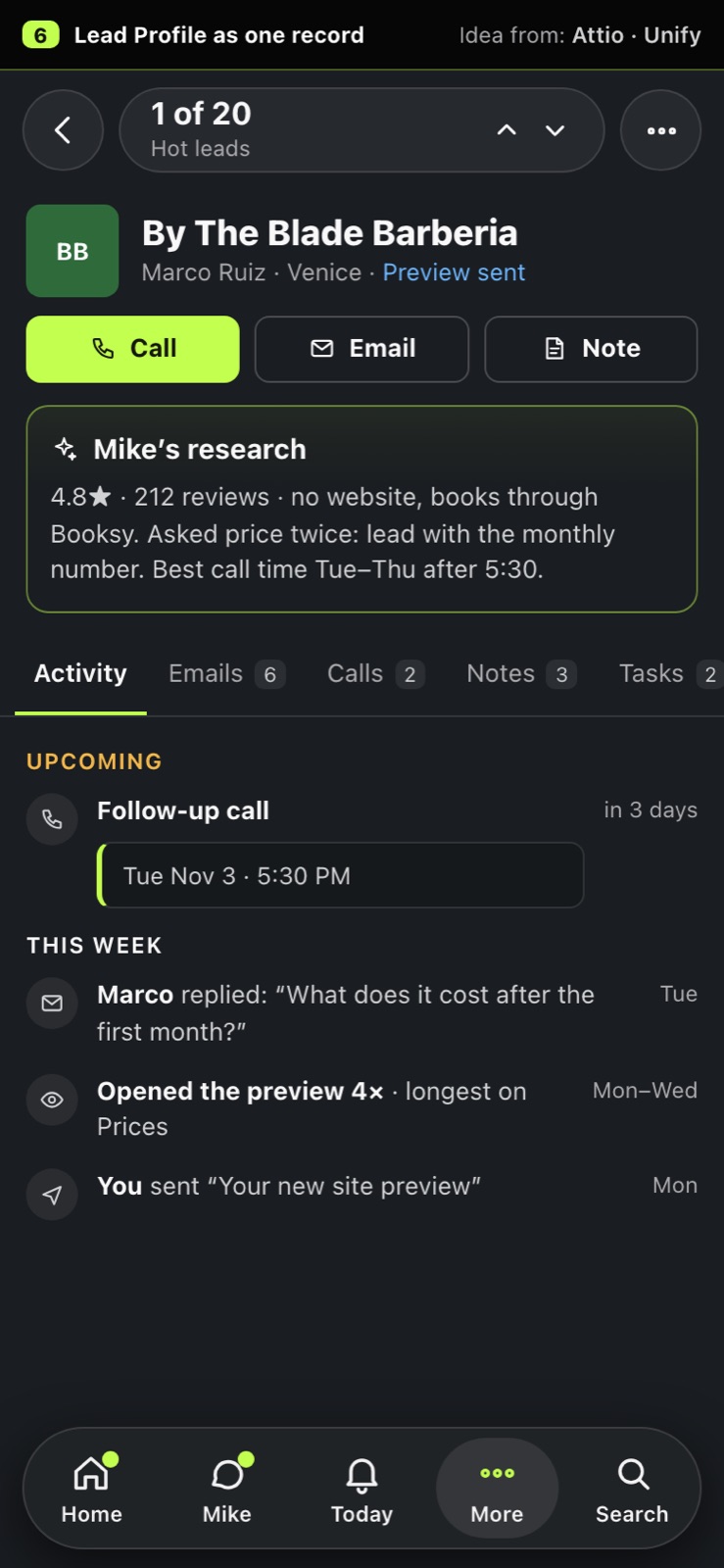
Everything about a lead on one page: details, a timeline of every email, call and preview view, Mike's research beside it, and a 1-of-20 pager to step to the next lead.
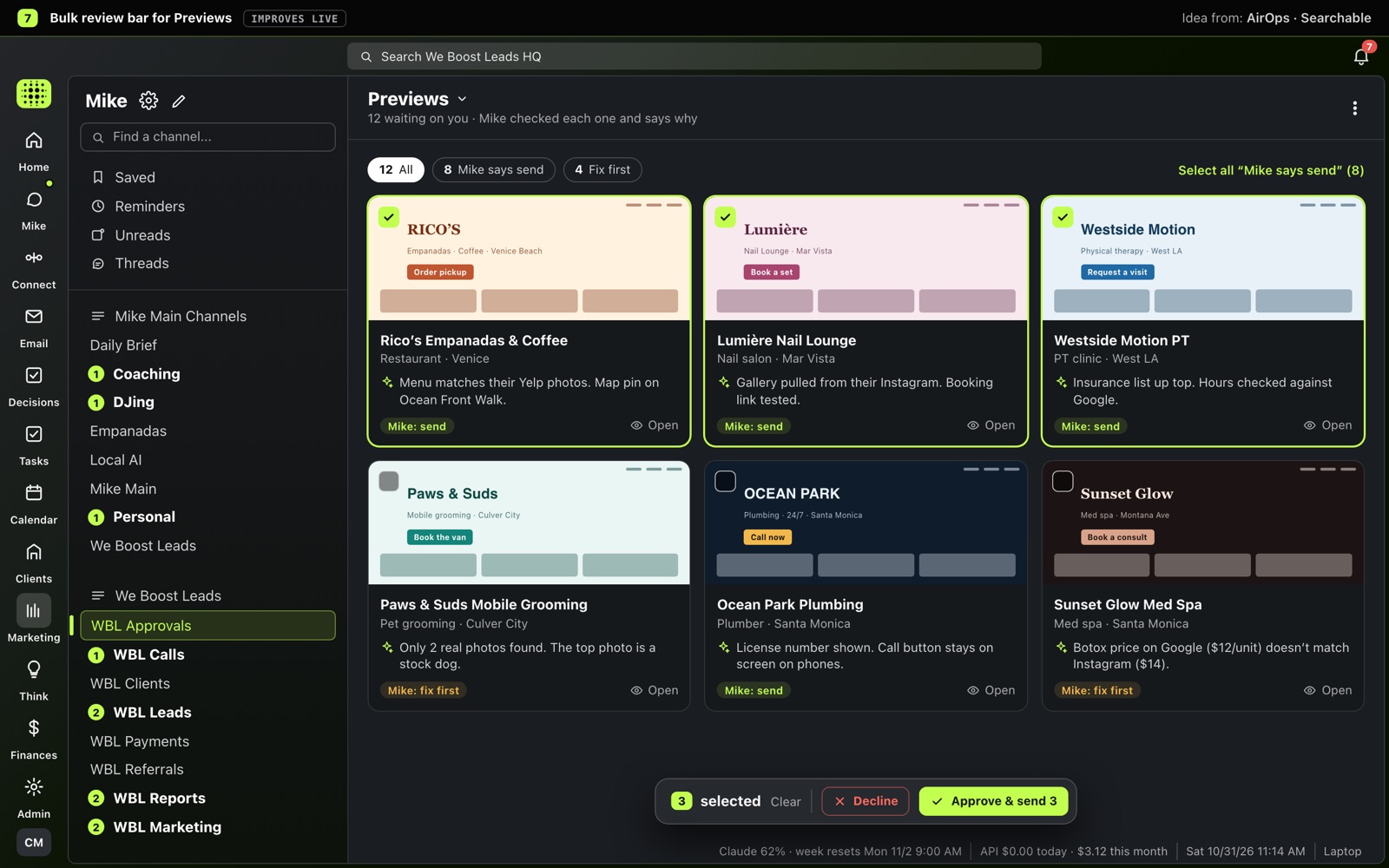
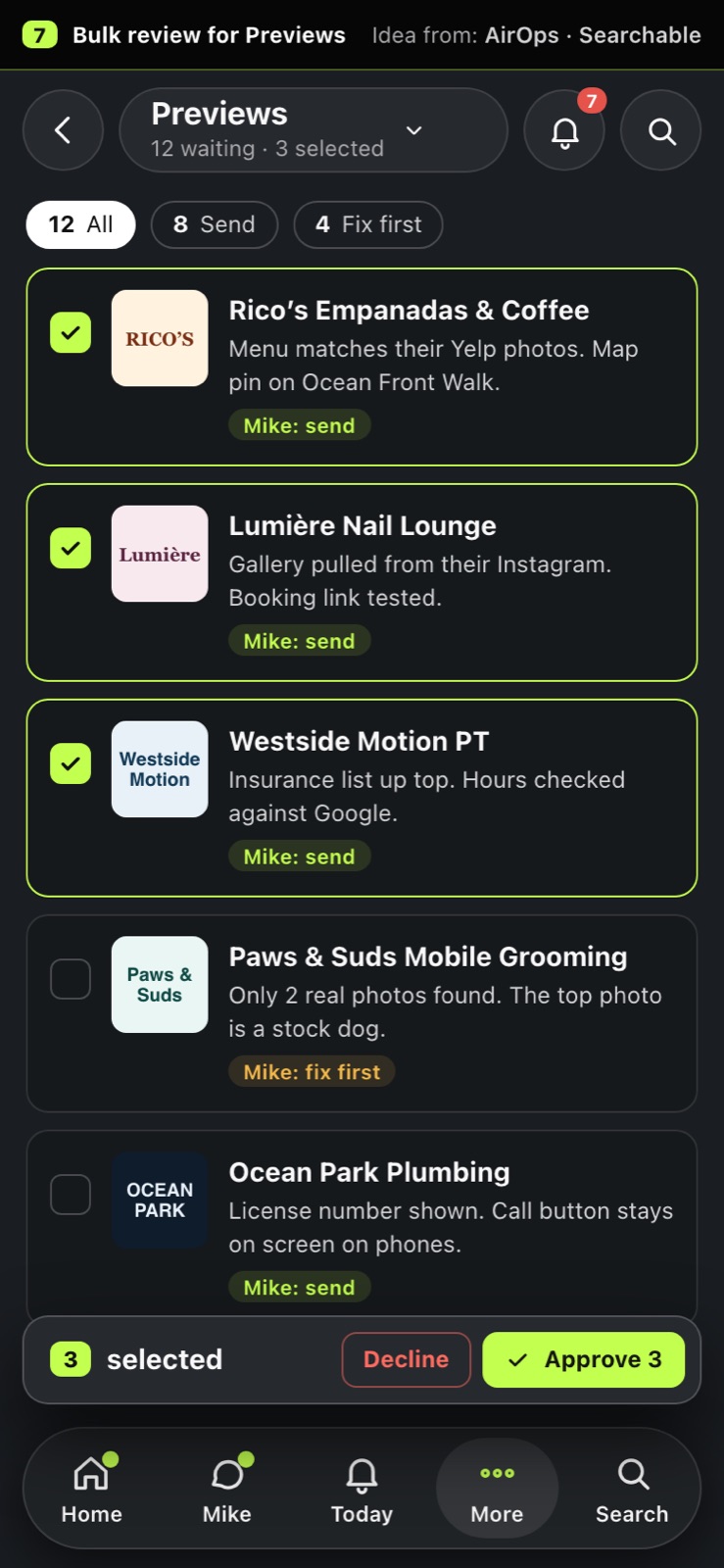
Tick several preview sites at once (each card says why Mike thinks it's ready or needs a fix) and approve or decline them all from one floating bar.
Idea from: AirOps · Searchable
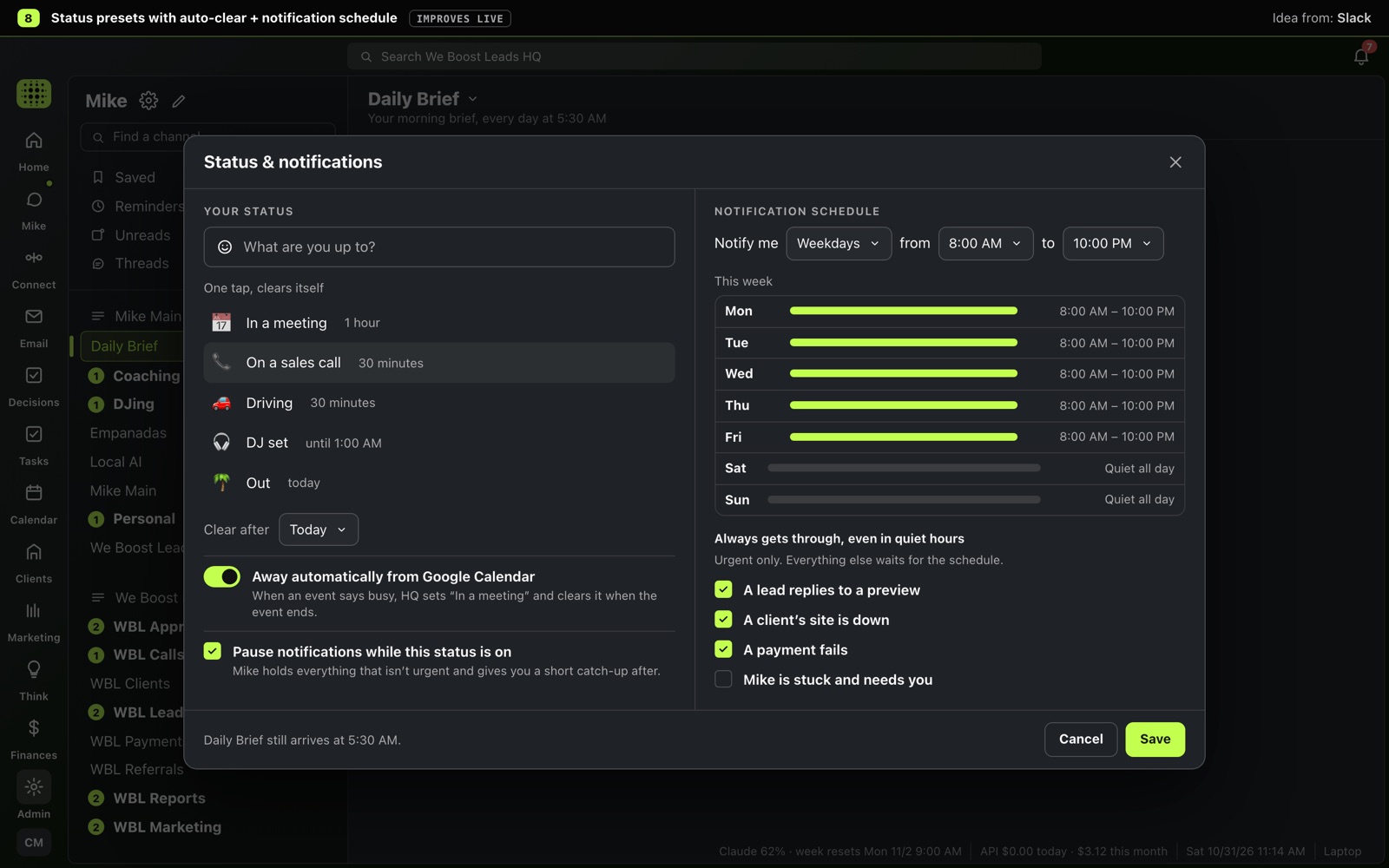
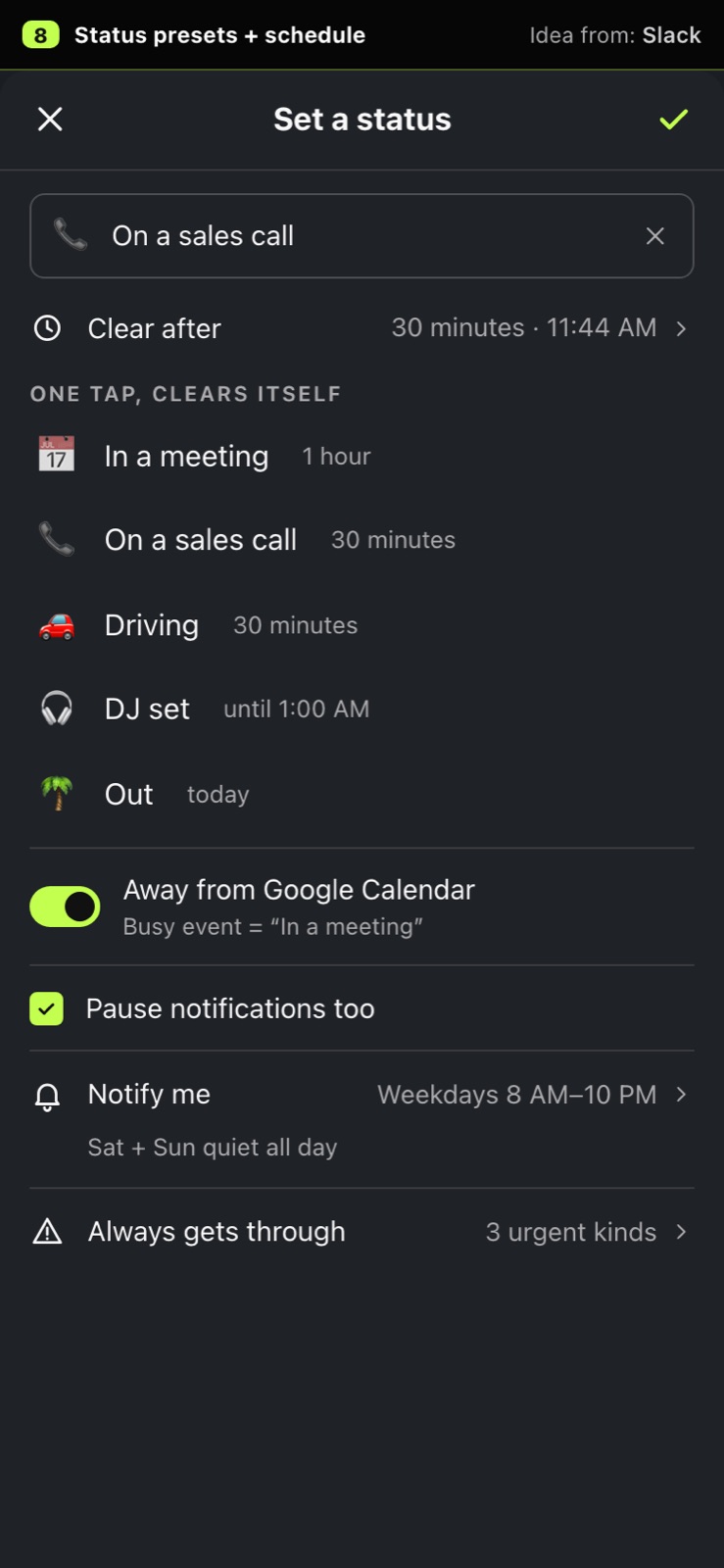
One-tap statuses like 'On a sales call, 30 min' that clear themselves, away automatically from Google Calendar, and pings only during hours you pick, with urgent things still getting through.
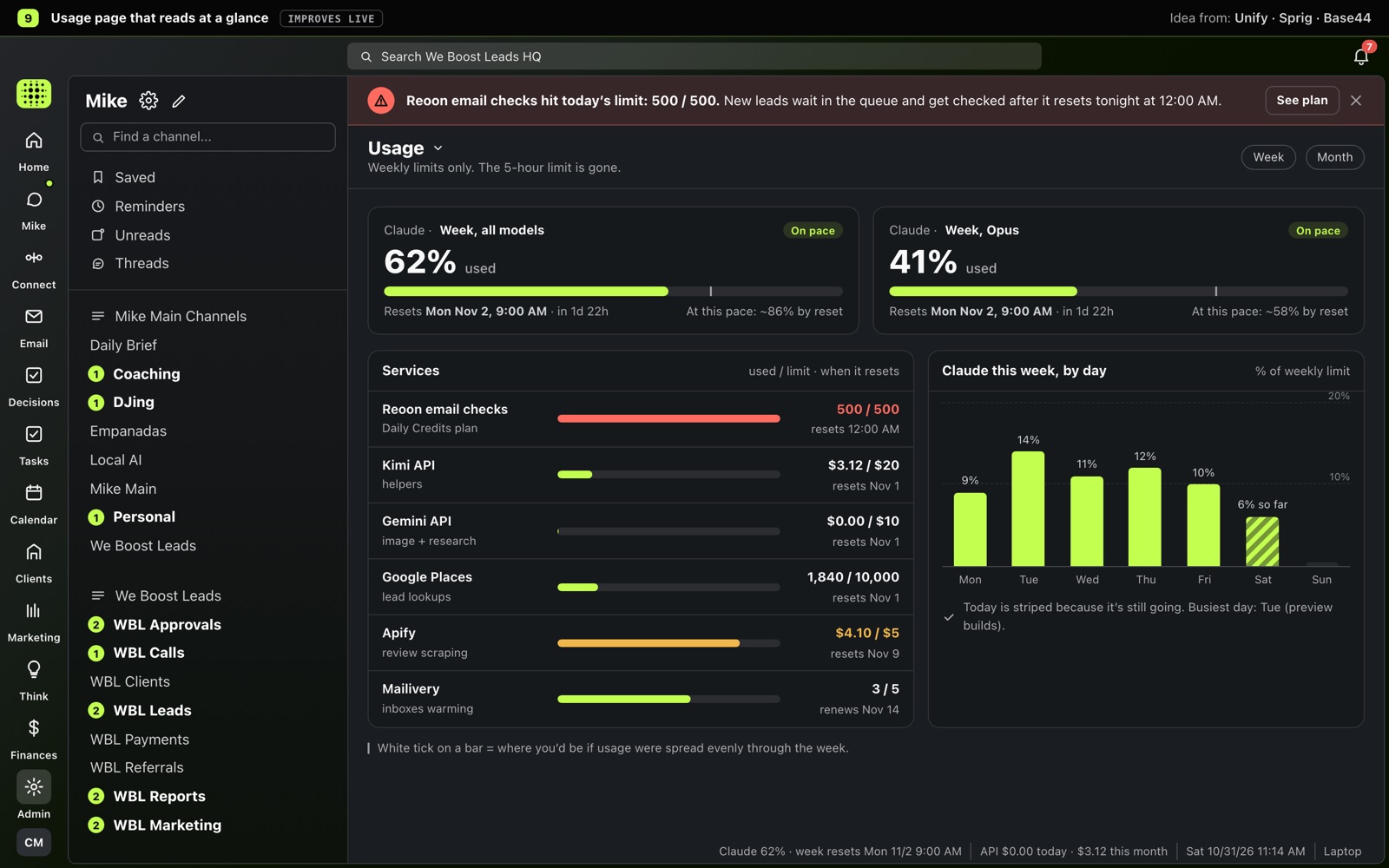
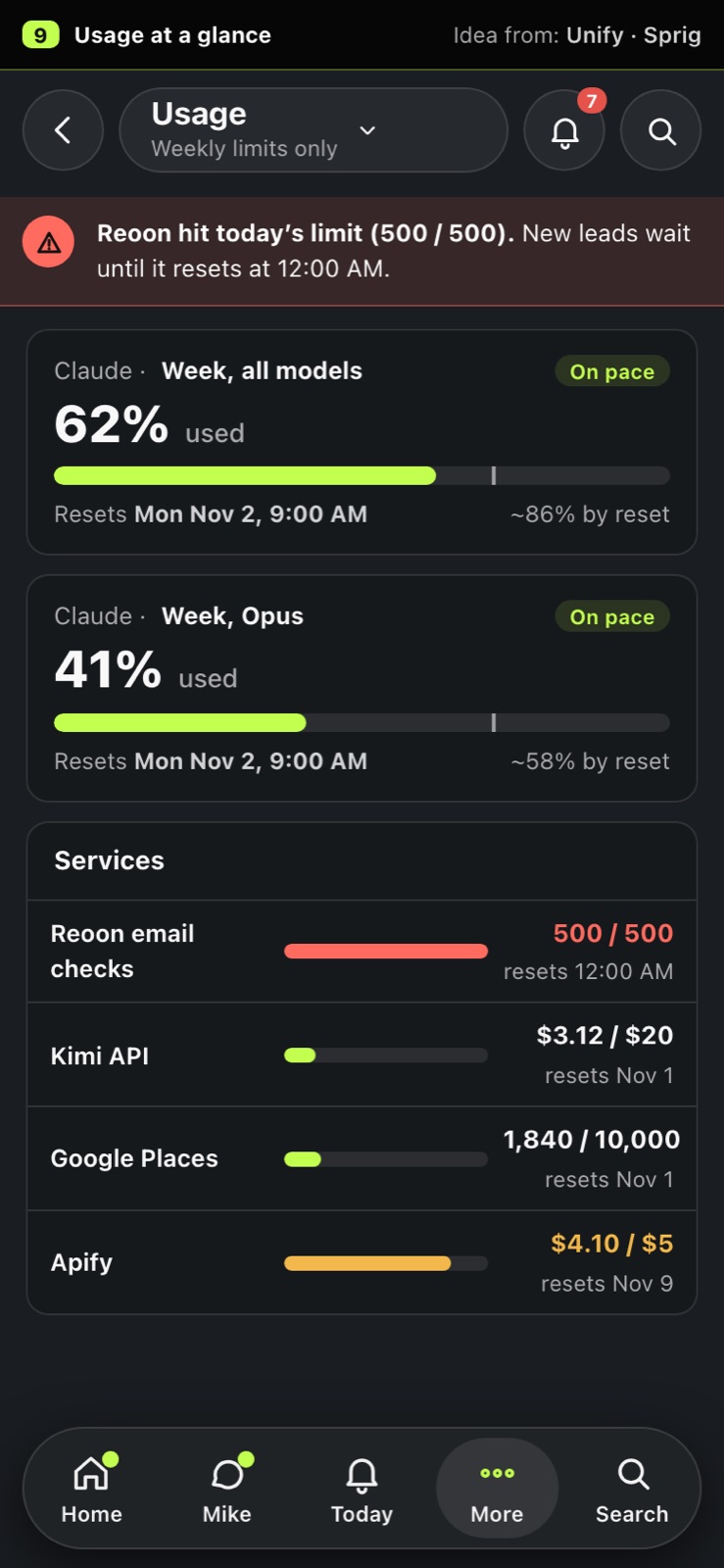
Weekly Claude limits and every paid service as simple bars with the reset date under each, plus a red banner across the top the moment something hits its limit.
Rico's ops app
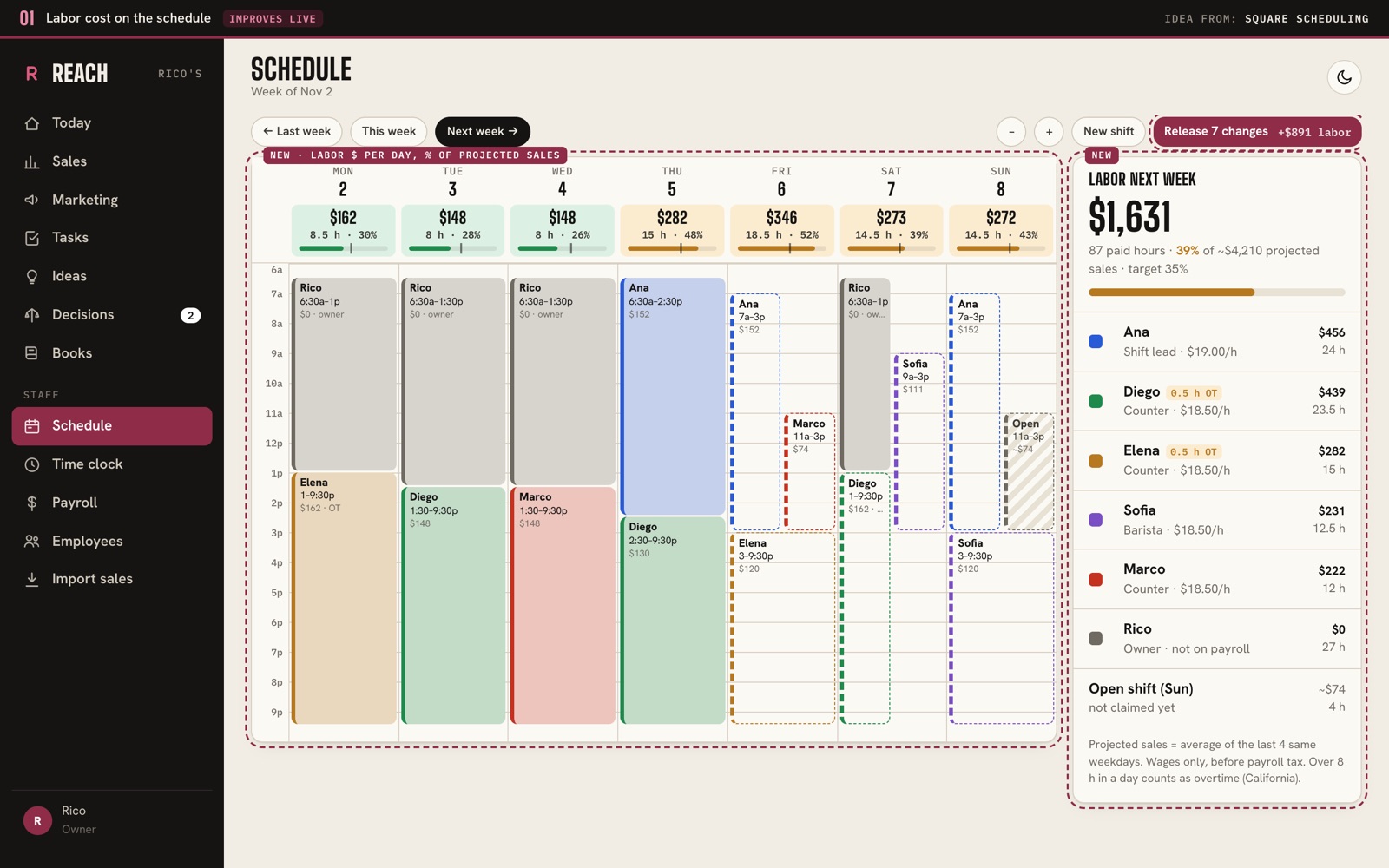
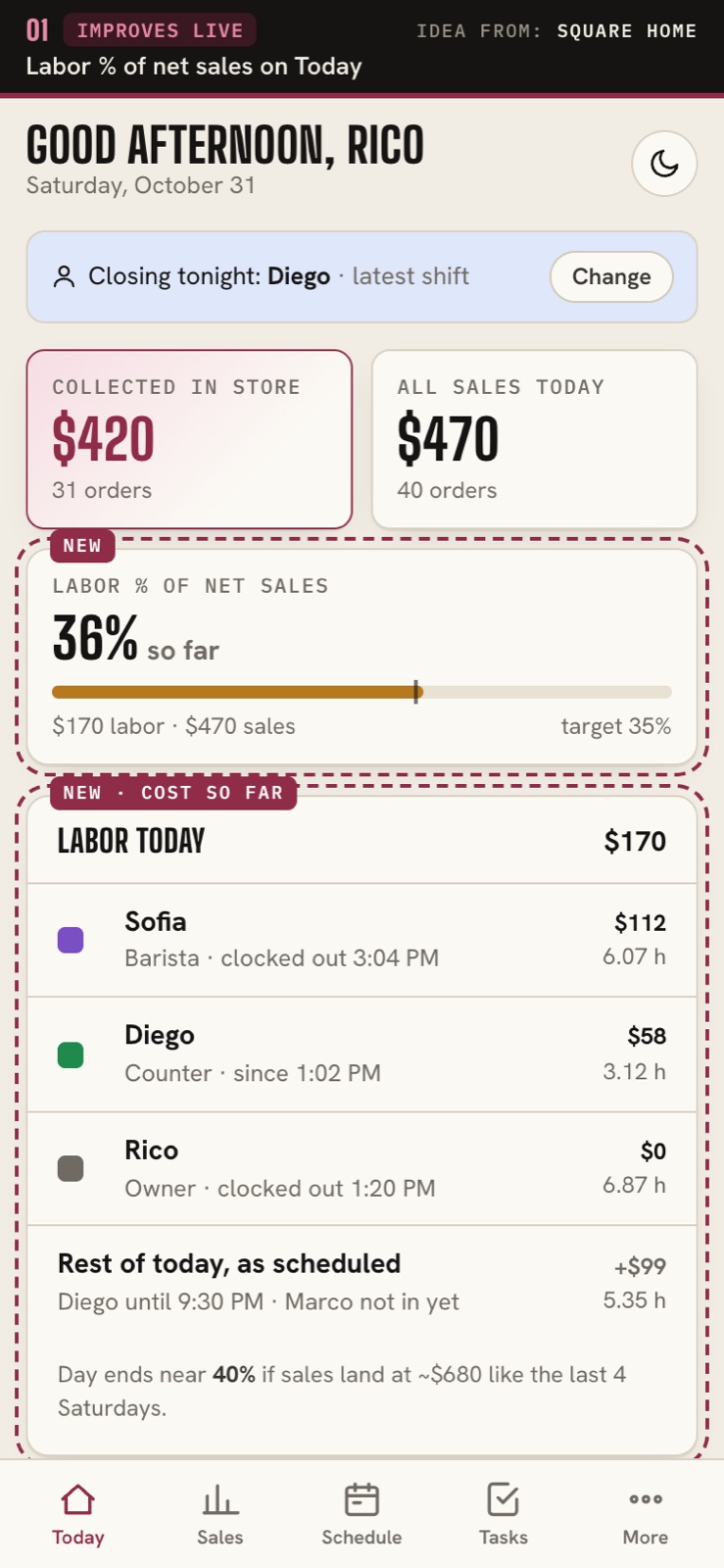
Each day on the schedule shows what it costs in wages and as a % of expected sales, and Today shows labor as a % of sales so far, so Rico sees a pricey day before he releases it.
Idea from: Square (Scheduling) · Square (Home)
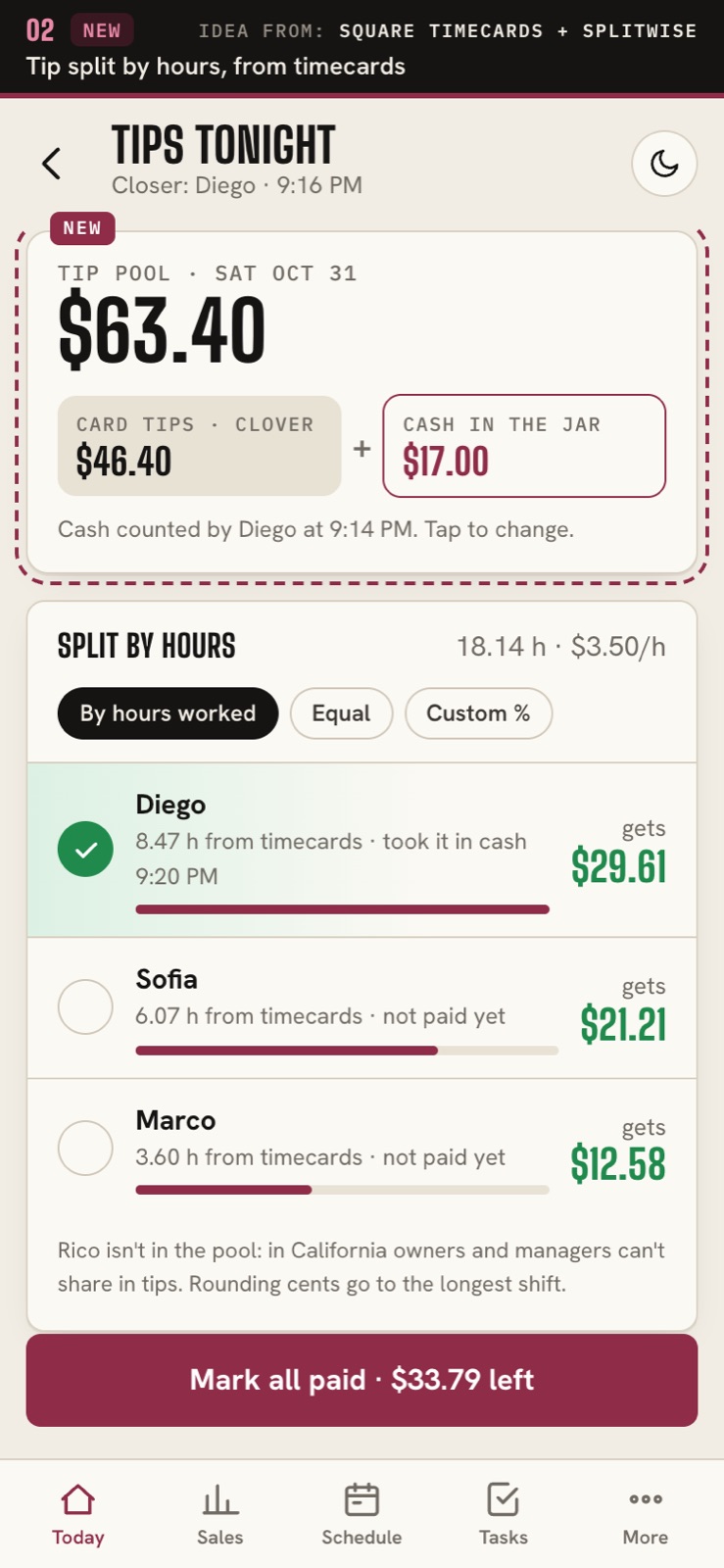
At close, card tips from Clover plus the cash in the jar are split by the hours each person clocked, with a 'gets $X' line and a paid tick for each person, so nobody does the math on paper.
Idea from: Square (Timecards) · Splitwise
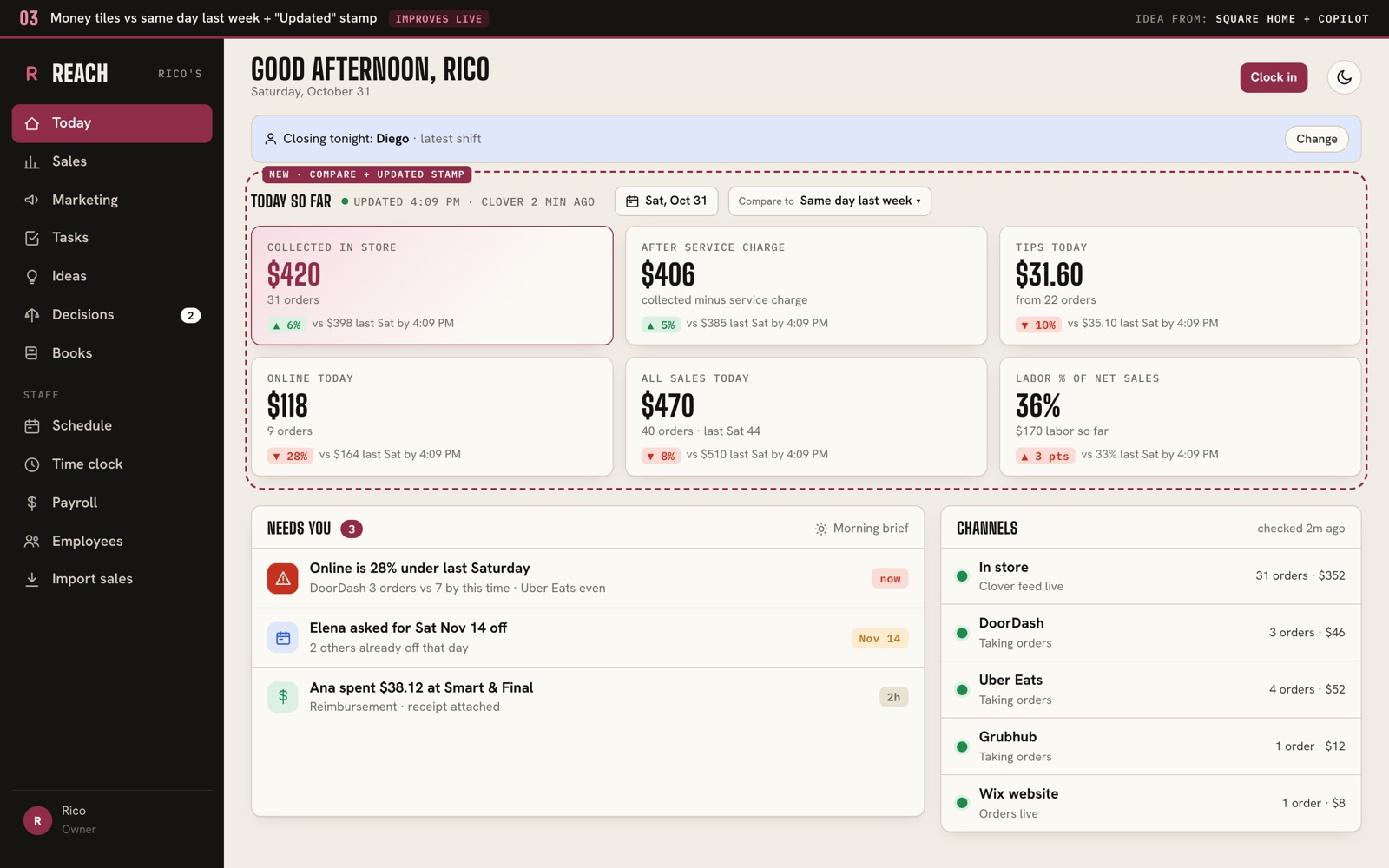
Every money tile shows up or down against last Saturday at the same time, with an 'Updated 4:09 PM' stamp that turns amber and offers Reconnect when Clover stops syncing.
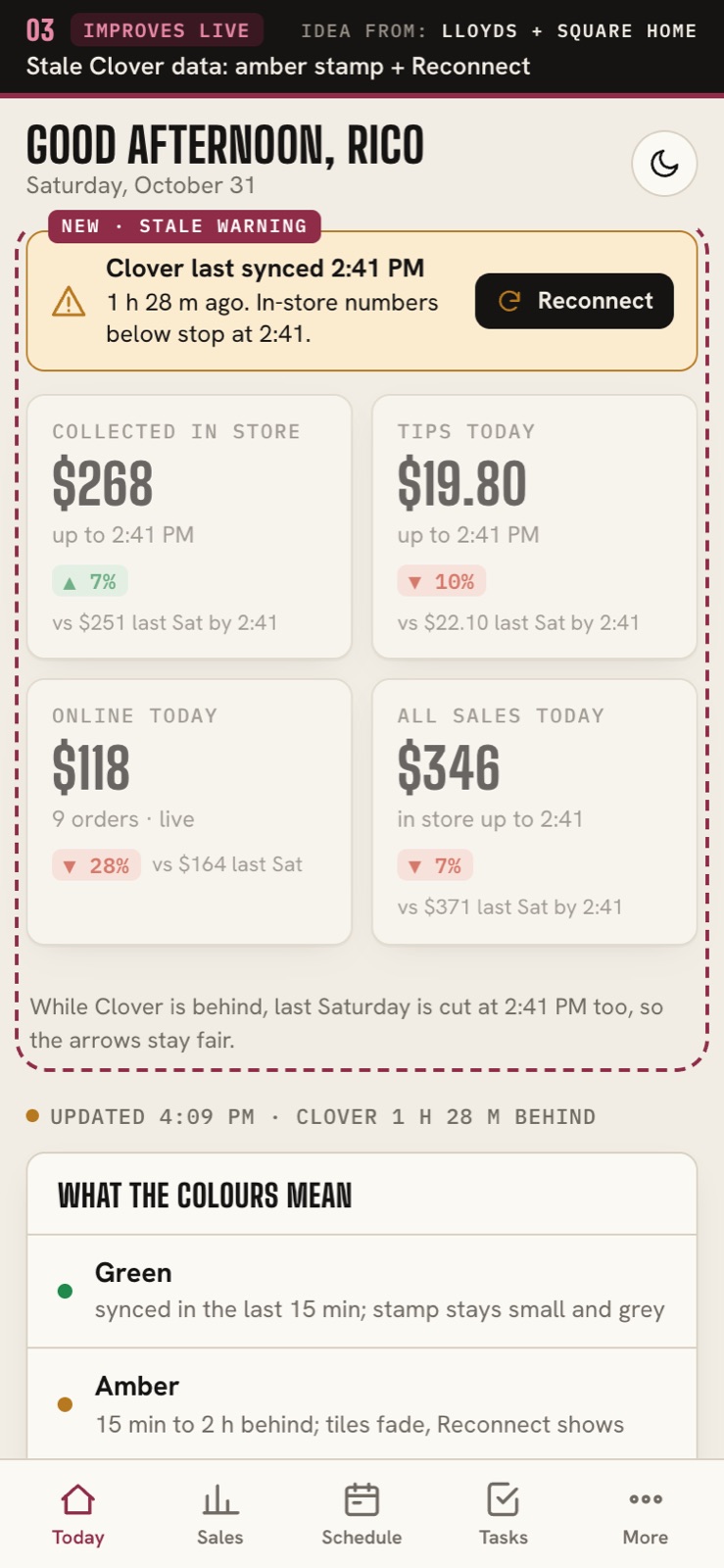
Idea from: Square (Home header) · Square (Home performance) · Copilot · Lloyds
Set DoorDash, Uber Eats, Grubhub and website hours in one table, and every pause has an end time, so a channel can't stay off after a rush by mistake.
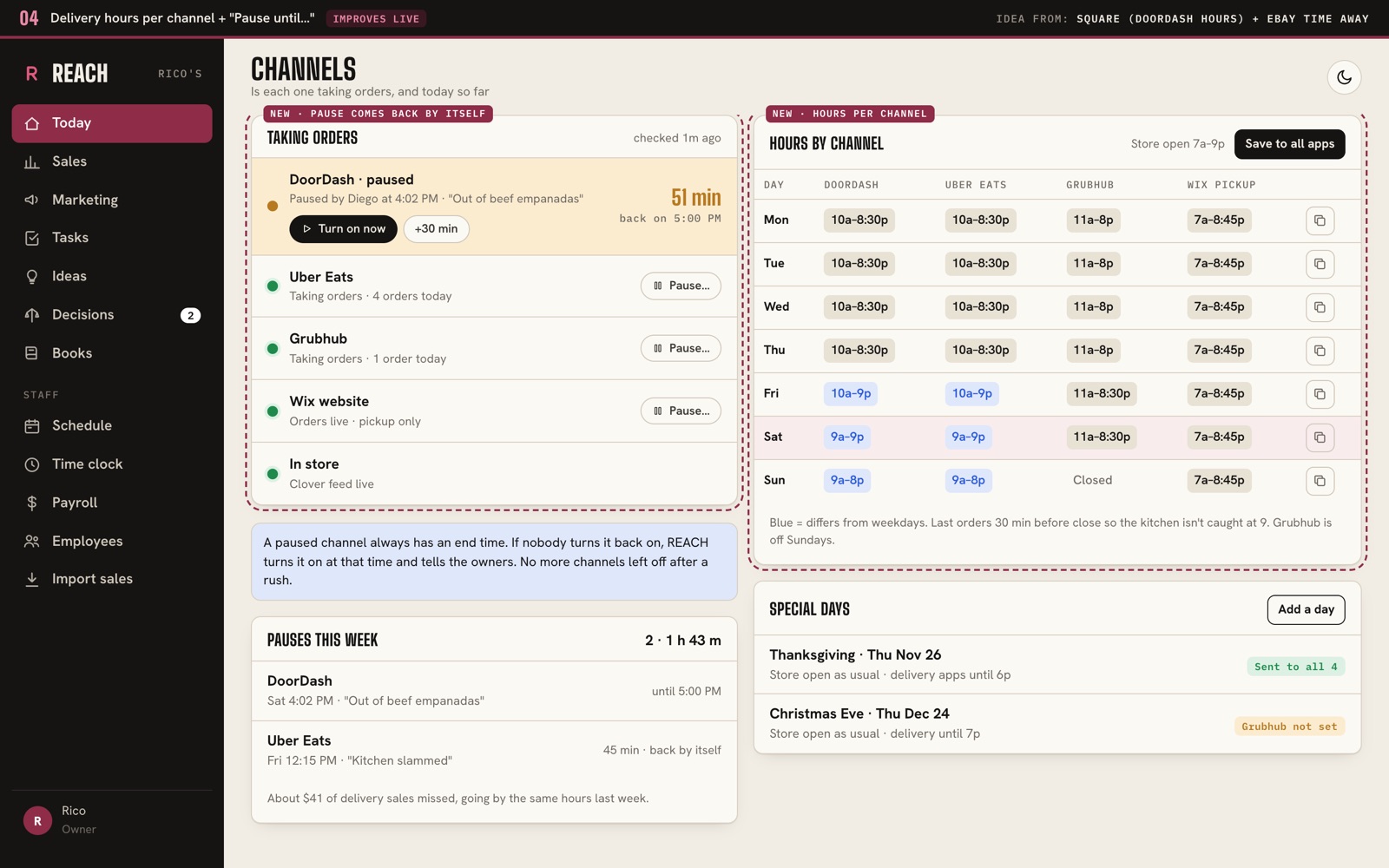
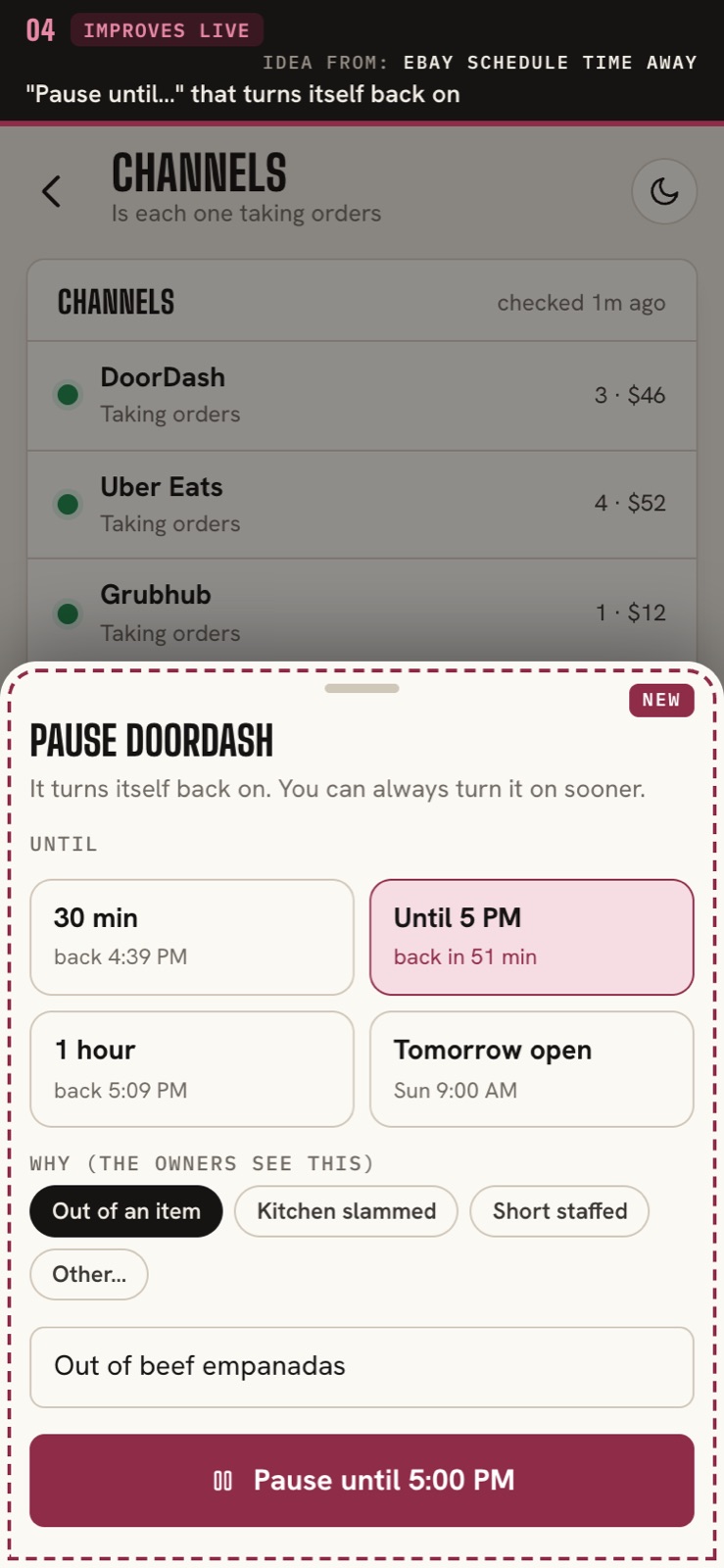
Idea from: Square (DoorDash store hours) · eBay (Schedule time away)
One timeline of today shows each person's scheduled shift next to what they actually clocked, with late arrivals, missed meal breaks and a call button.
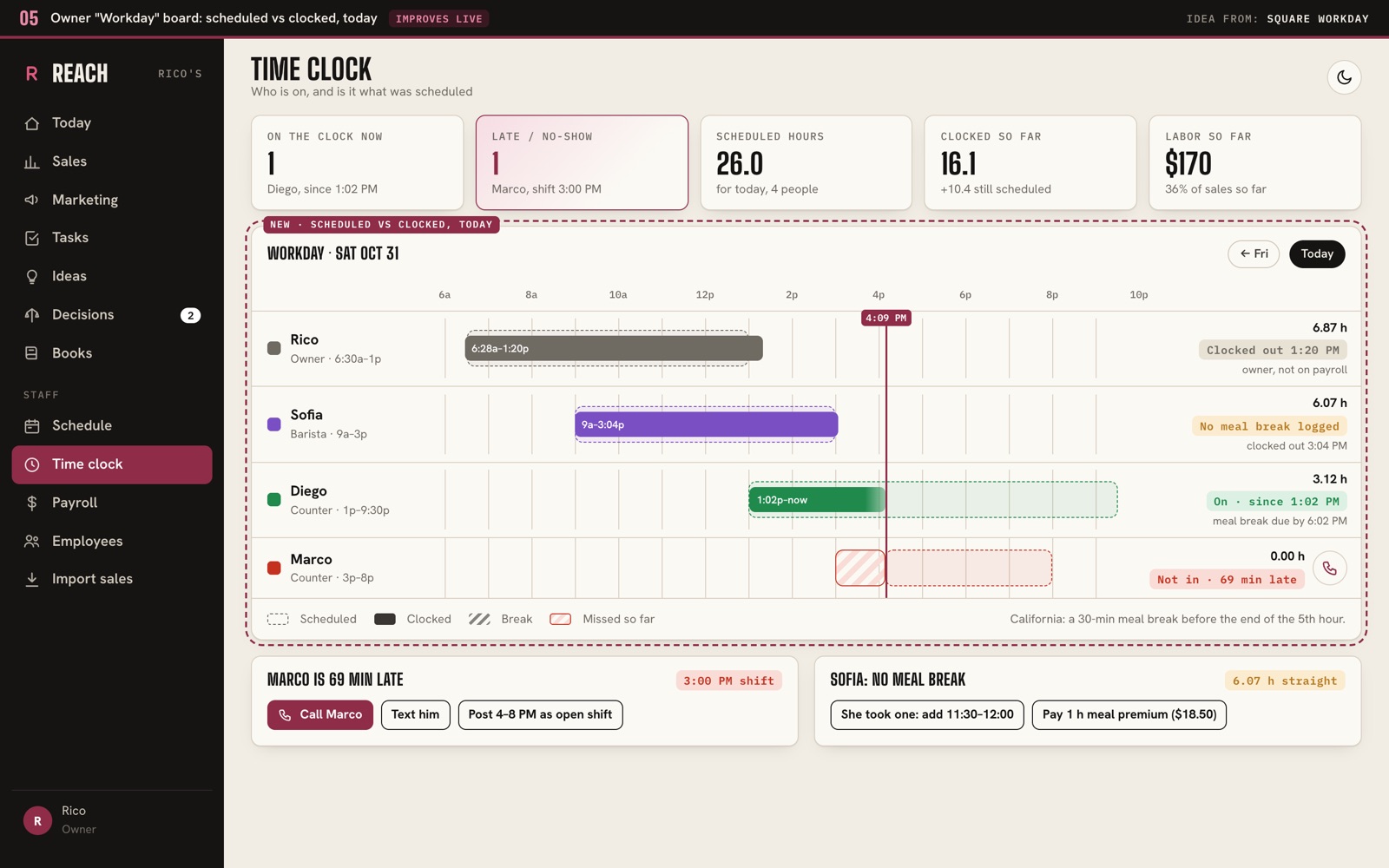
Idea from: Square (Workday)
Released or extra shifts show up as cards that staff claim with one tap (Rico approves), so he doesn't have to text around to fill a gap.
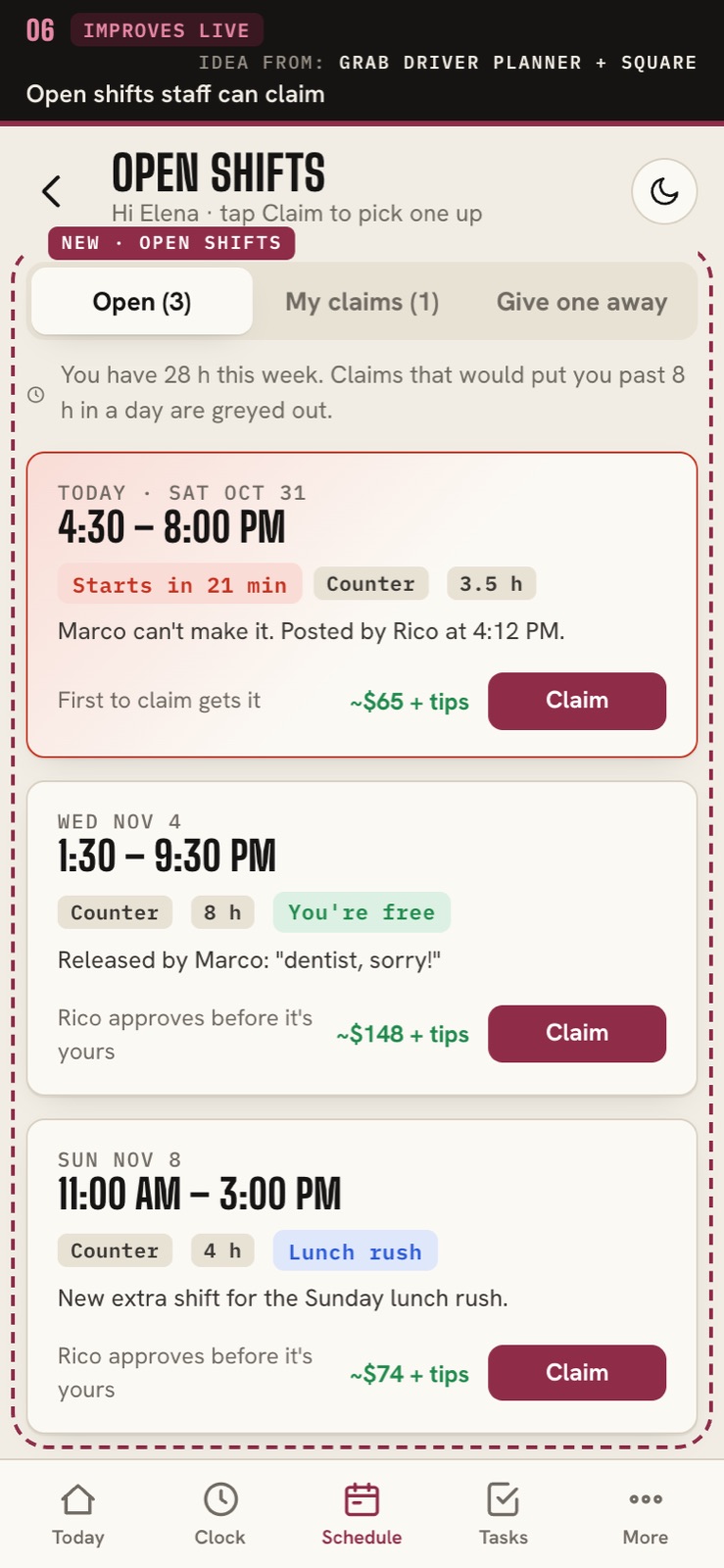
Idea from: Grab Driver (Booking Planner) · Square (Scheduling, Open shifts row)
The closer counts sealed items plus how full the open one is (1/4, 1/2, 3/4), and everything low or out becomes one ticked cart grouped by store.
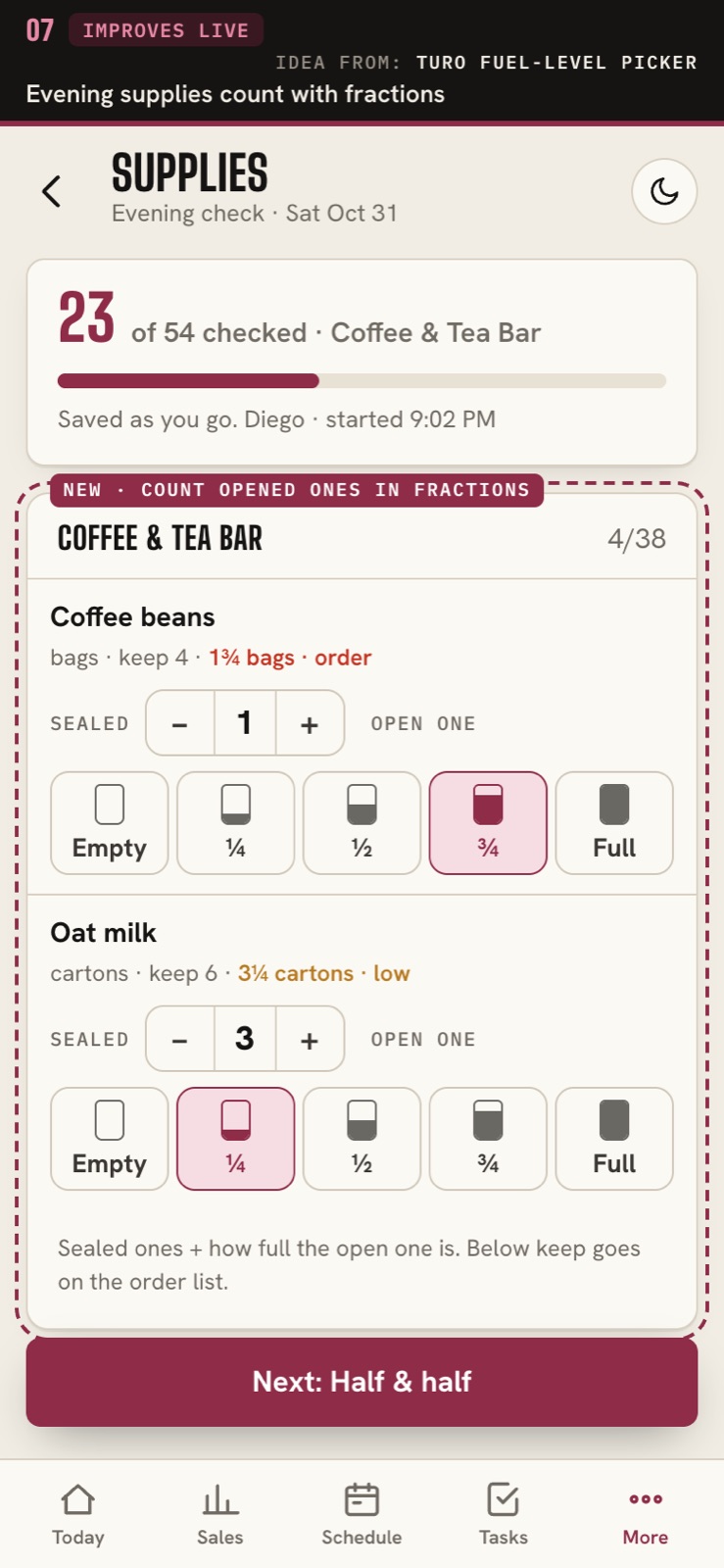
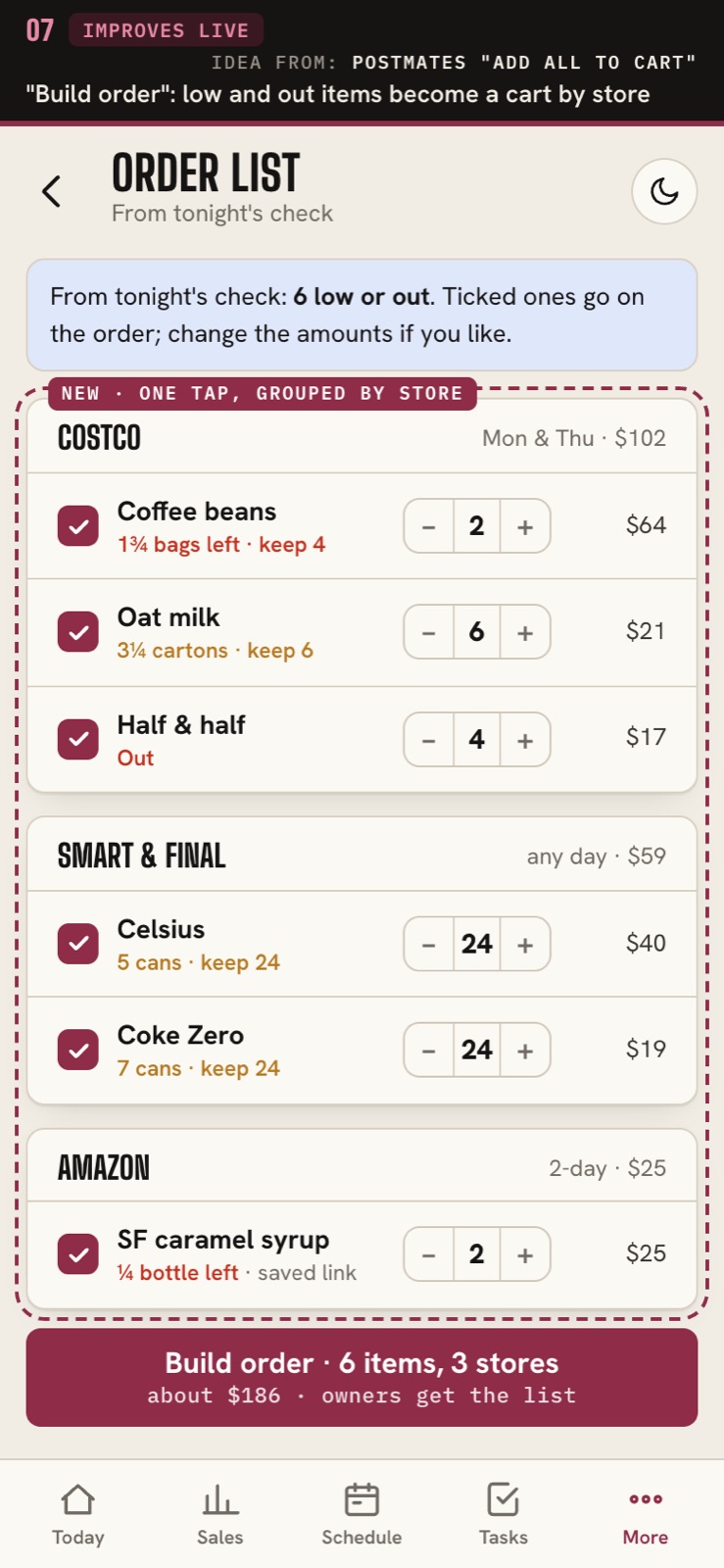
Idea from: Turo (fuel level picker) · Postmates (add all to cart)
Each contract shows how far it has got (sent, opened, signed, posted, paid) with a history of every step, and a money bar shows what is paid, overdue and still waiting.
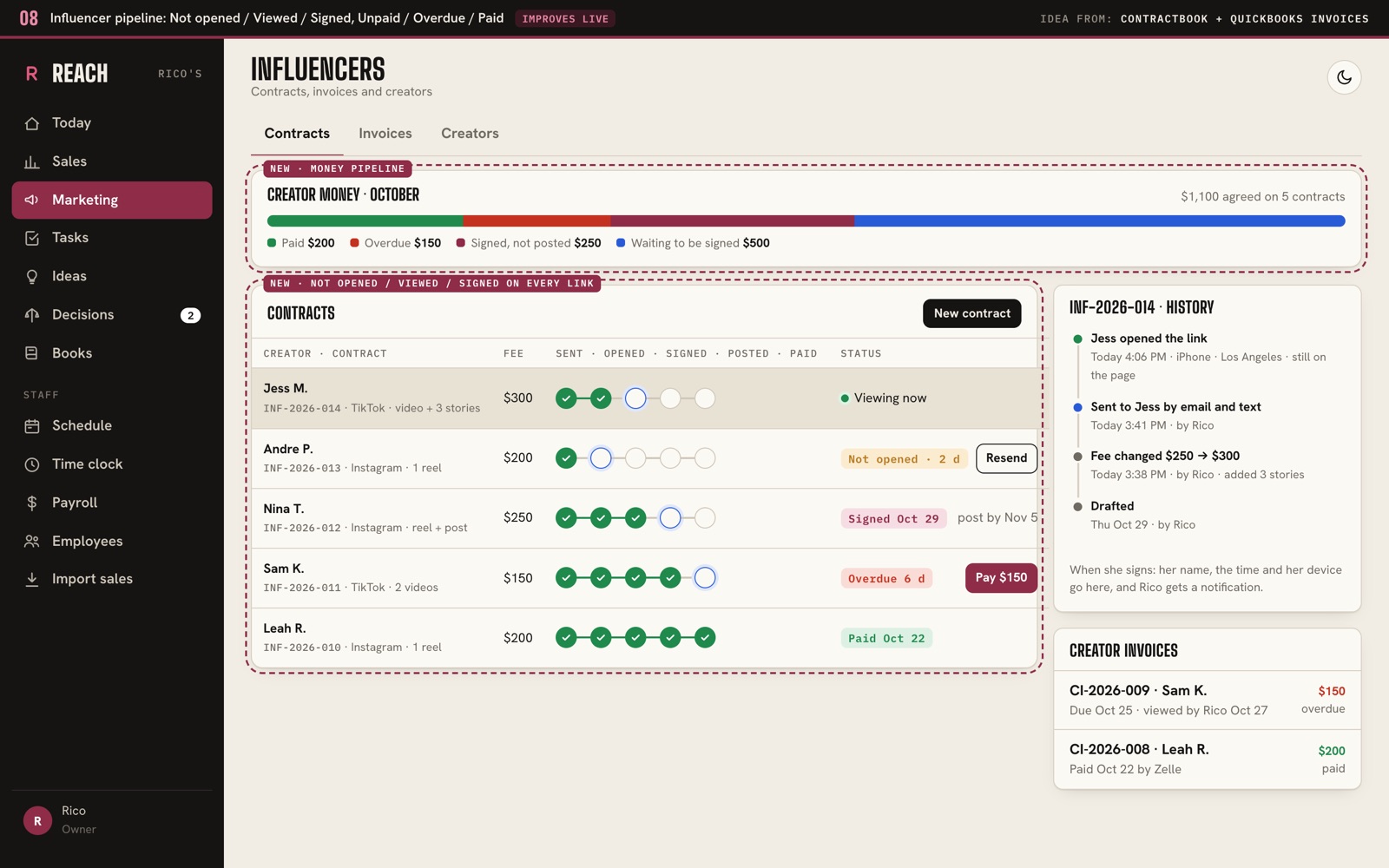
Idea from: Contractbook (Sending a contract) · QuickBooks (Creating an invoice)
The morning brief ends with tappable questions like 'Why was online down?' that open REACH Agent already answering them.
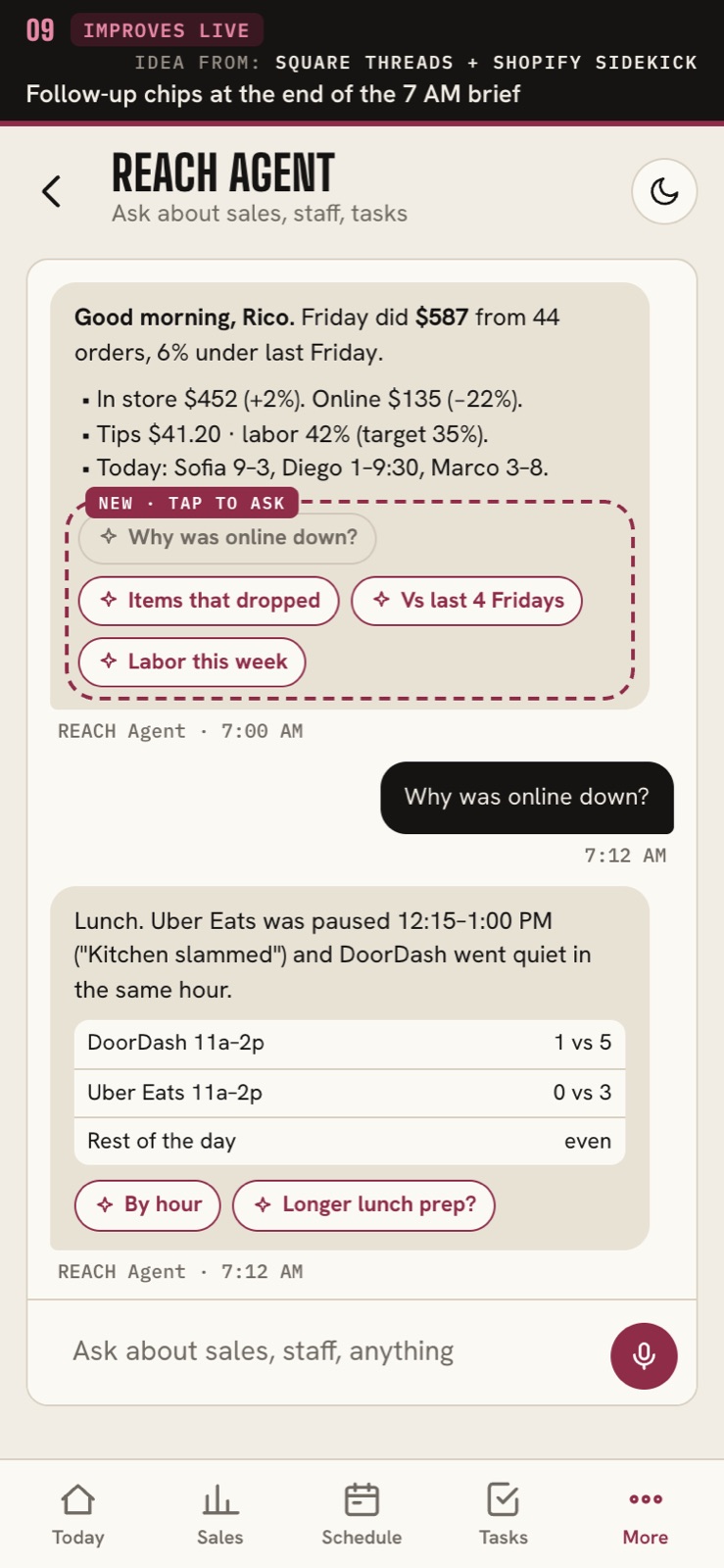
Idea from: Square (Threads) · Shopify (Sidekick)
Customers get a 10th-coffee-free punch card and a birthday empanada by text link, and Rico sees whether members spend more than everyone else.
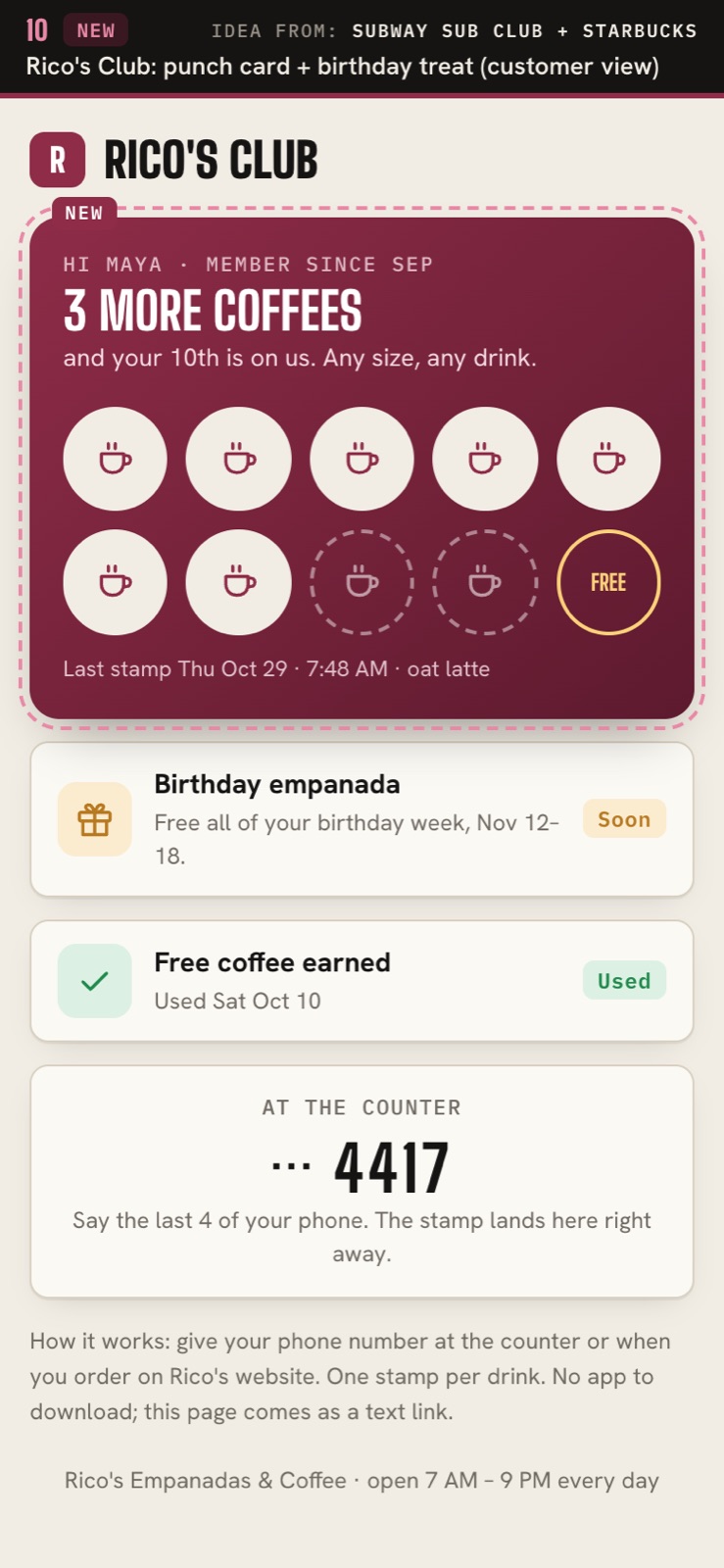
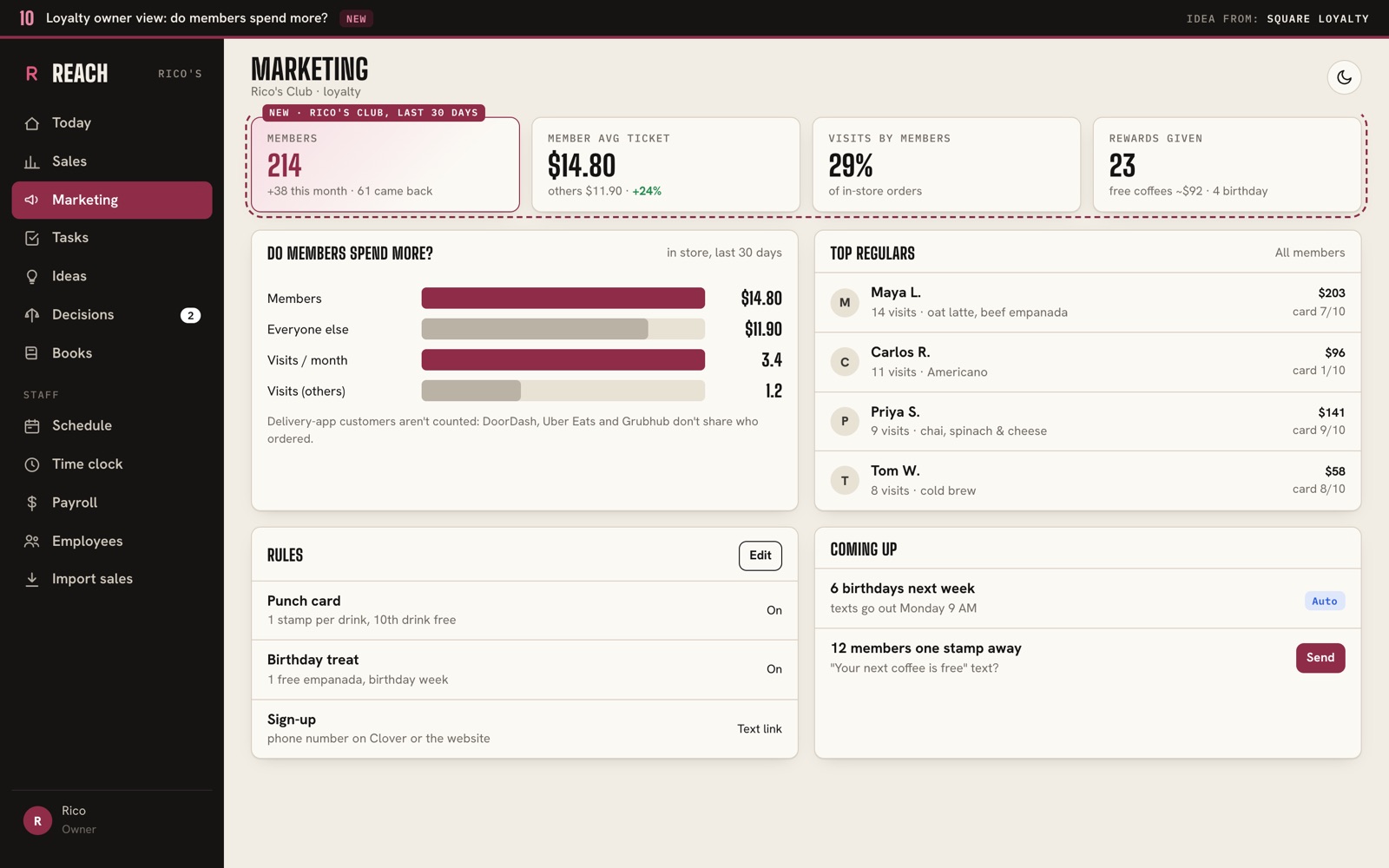
Idea from: Square (Loyalty overview) · Subway (Sub Club) · Starbucks (Rewards)
First version: habits, journal, money
One screen for the day: date, a week strip that fills in as you check things off, tonight's gig, and every habit with its streak count, bookended by Wake up and Wind down.
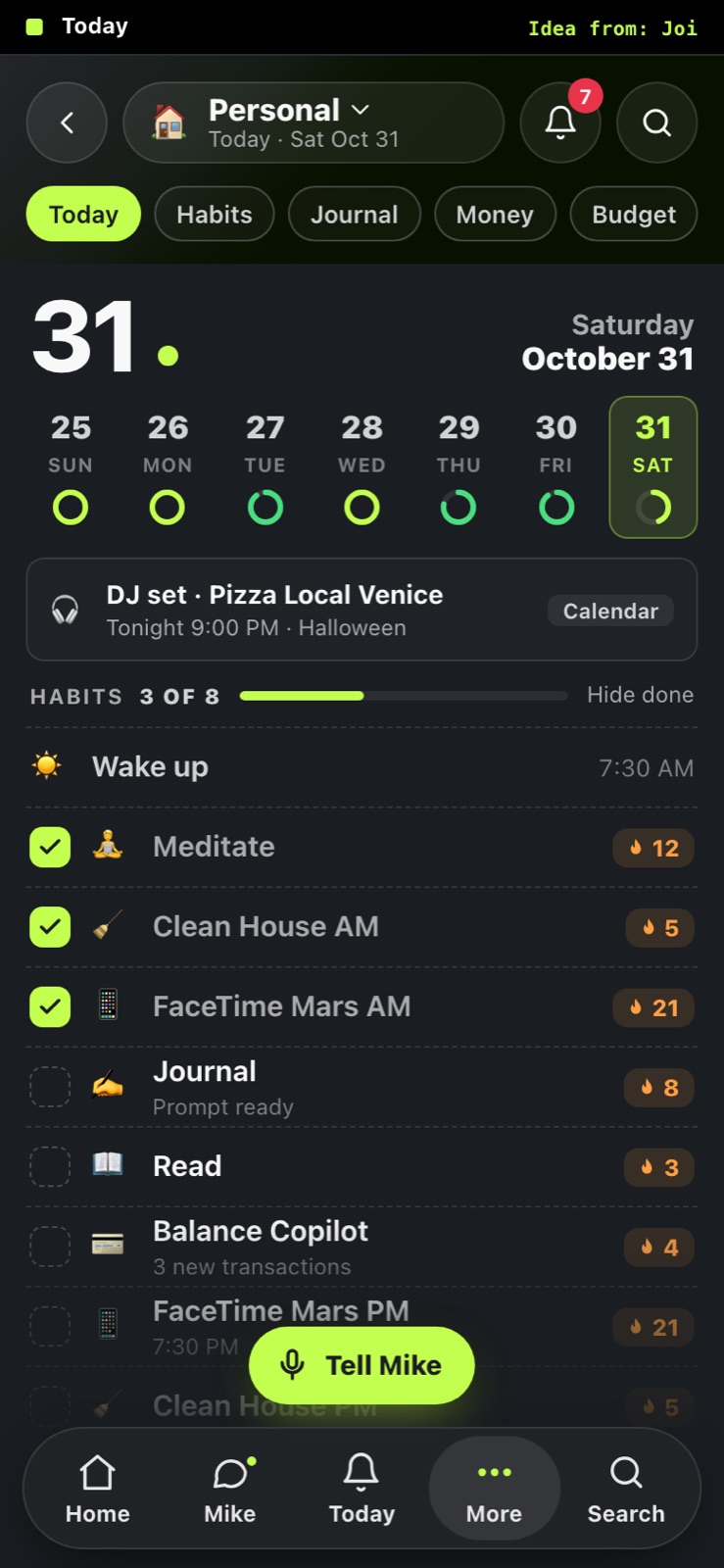
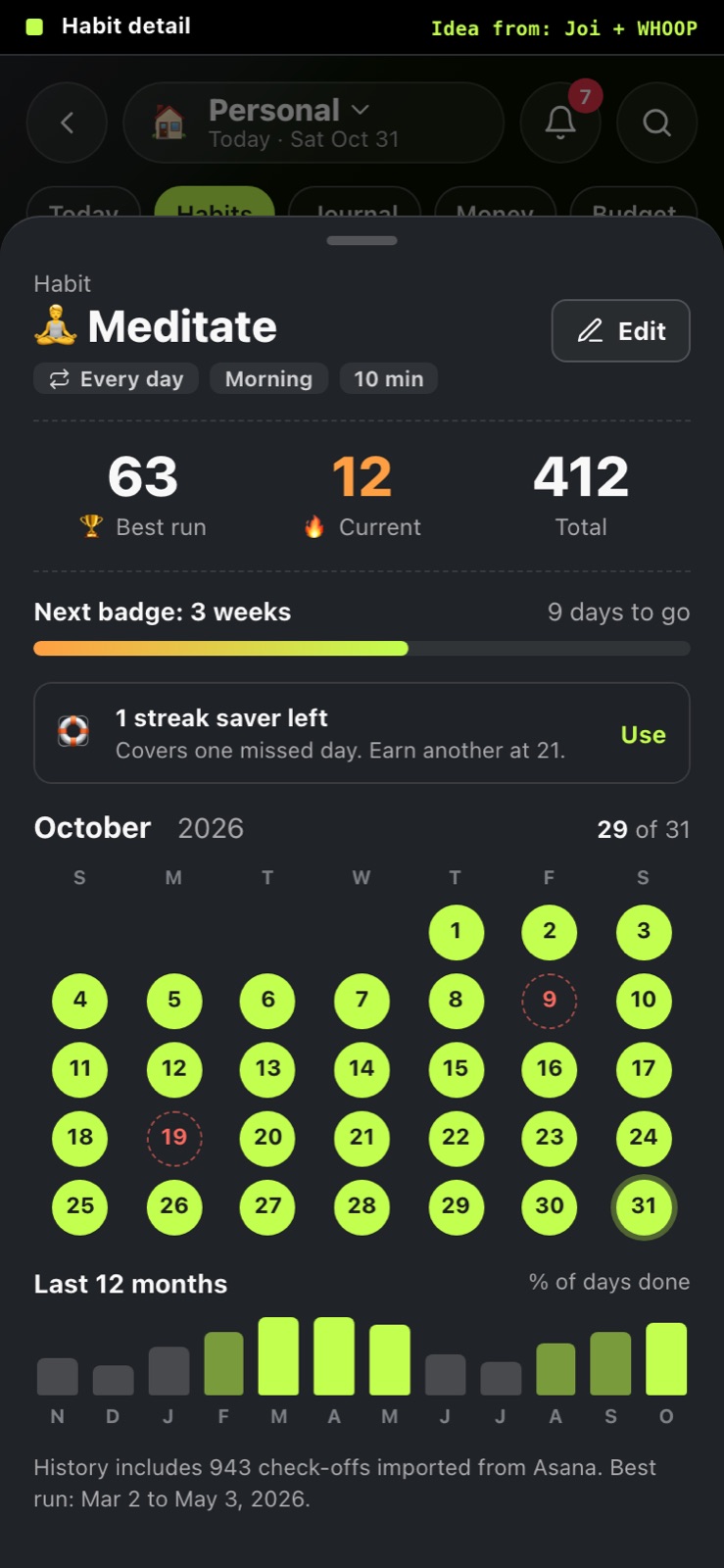
Tap a habit to see best run, current streak and total, a progress bar to the next streak badge, a streak saver for one missed day, and the month as a dot calendar with the old Asana history loaded in.
A daily prompt card and a week strip of the days you wrote, then today's entries as a timeline with a quick mood tap, and an always-there "Add for today" bar you can type or talk into.
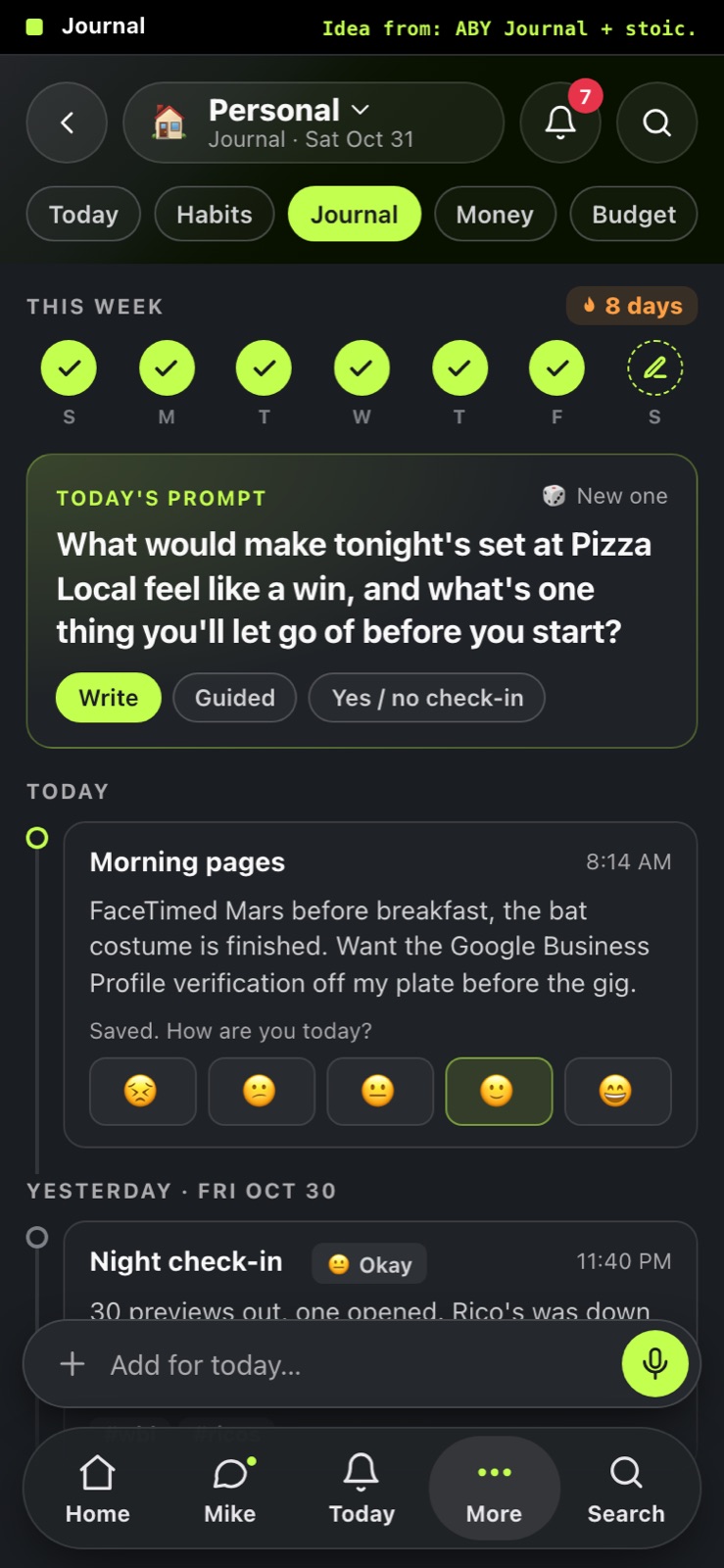
Idea from: ABY Journal · stoic. · Insight Timer
Net worth as a line with 1W to 1Y toggles, a "Bank of America needs a sign-in" row when a connection breaks, then personal accounts grouped as cash, cards and investments. Business money stays in Finances.
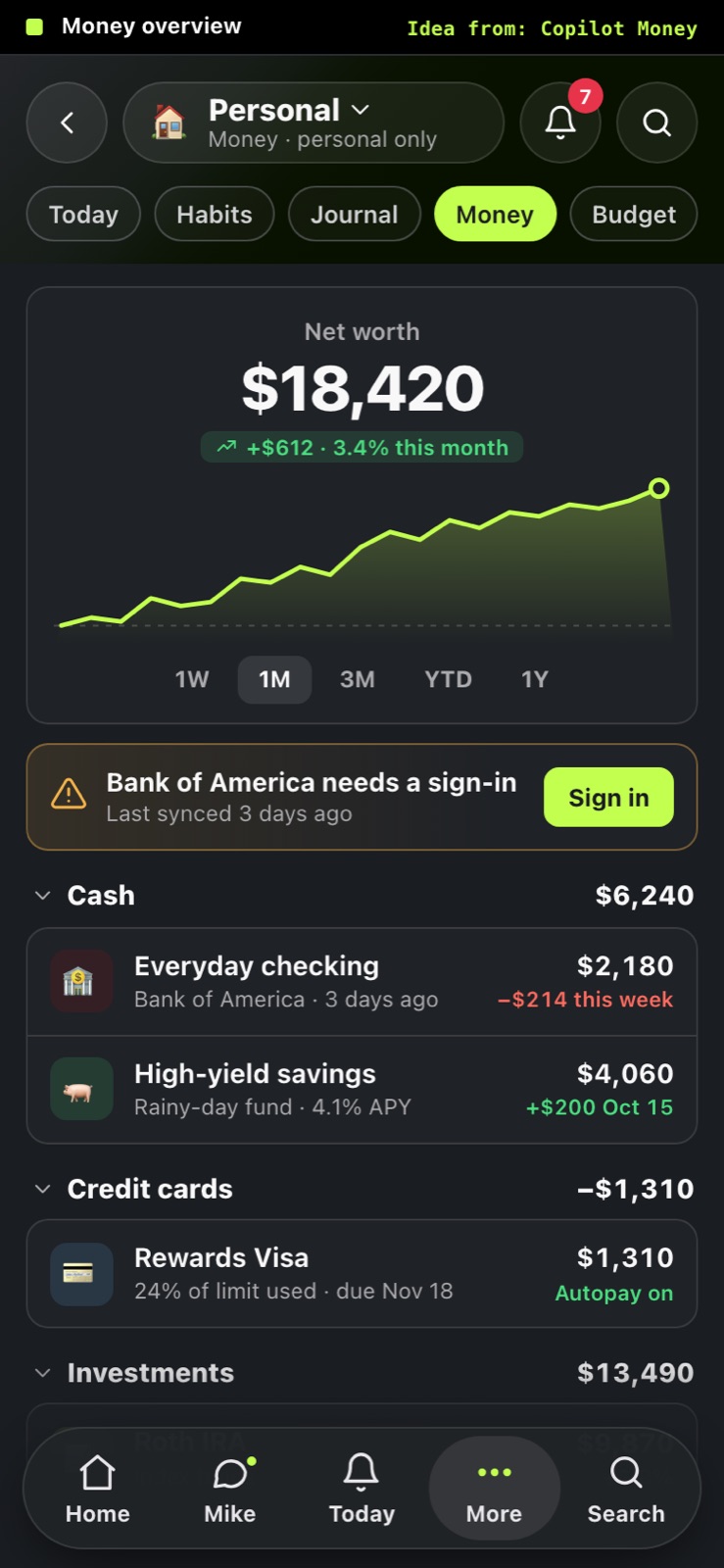
Idea from: Copilot Money · Lloyds
This month on one screen: spent vs budget per category with a green, amber or red bar, the total at the top, and a Mike note when something is over (like coffee that was really for Rico's).
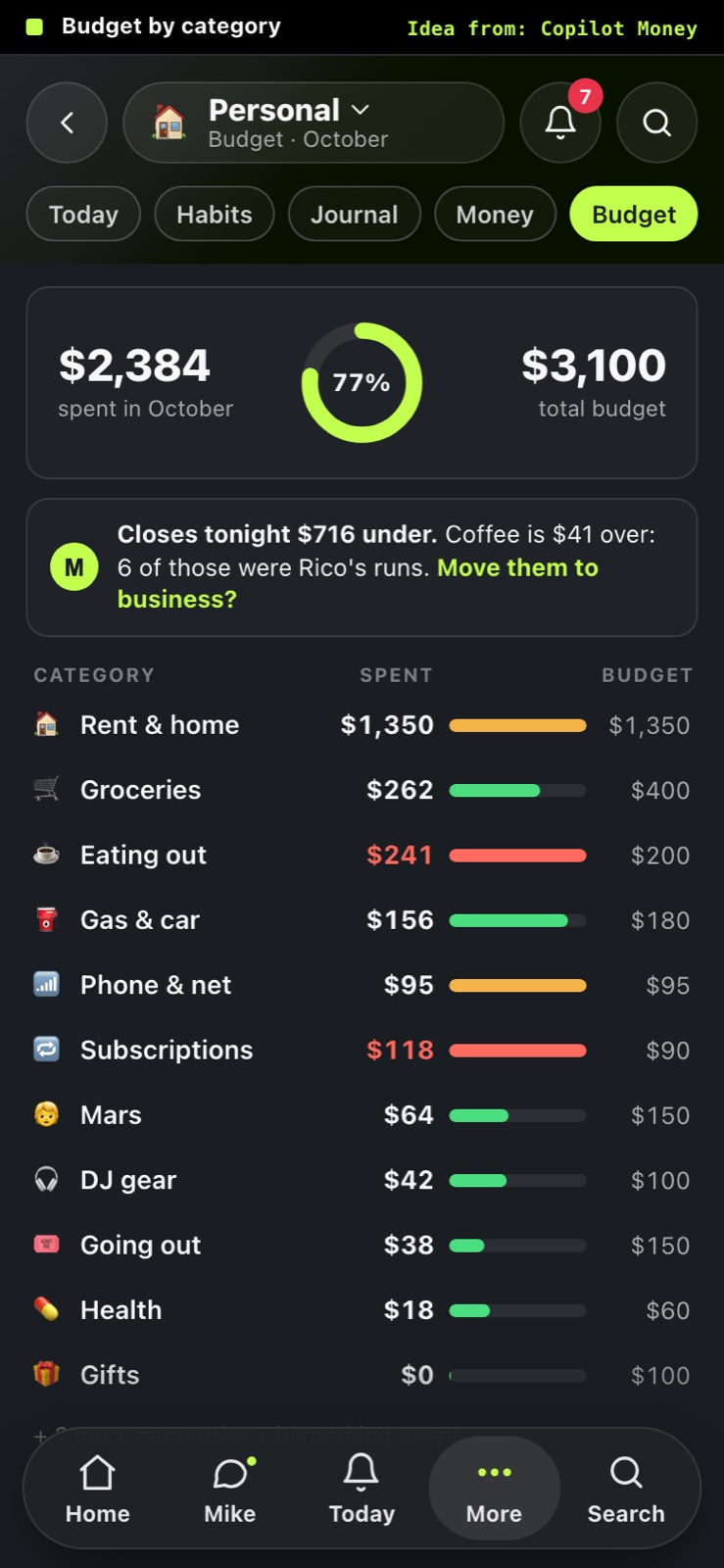
Idea from: Copilot Money · Neo
A ring for "left to pay vs paid so far" this month, then due today, paid, and renewing soon. Tap a bill to see its last five charges, so a price creep like car insurance going up $14 jumps out.
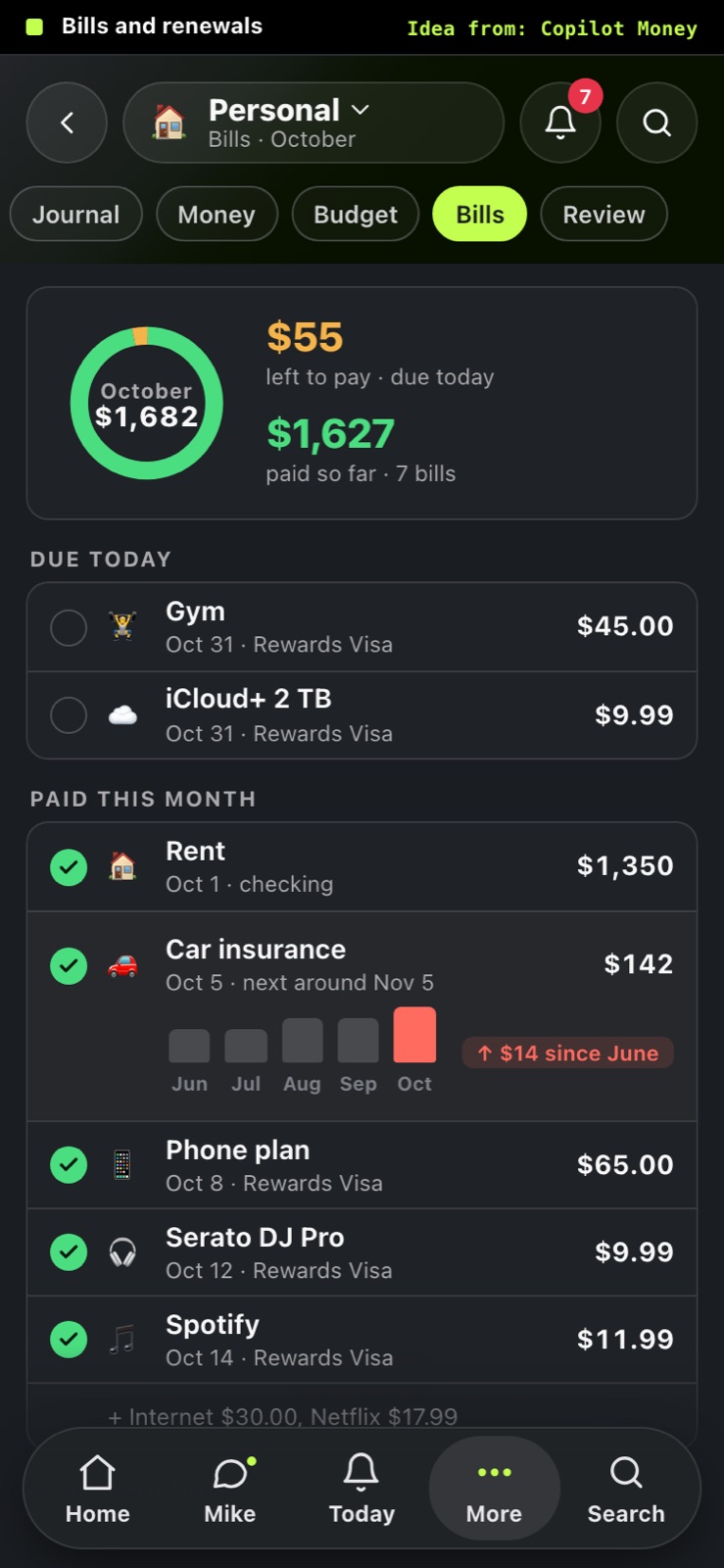
Idea from: Copilot Money (web) · Copilot Money · Copilot Money
Every Monday: each life area marked Good, Watch or Off-track, every habit as "x of 7" with day boxes, journal stats, and one suggestion from Mike you can accept with a tap.
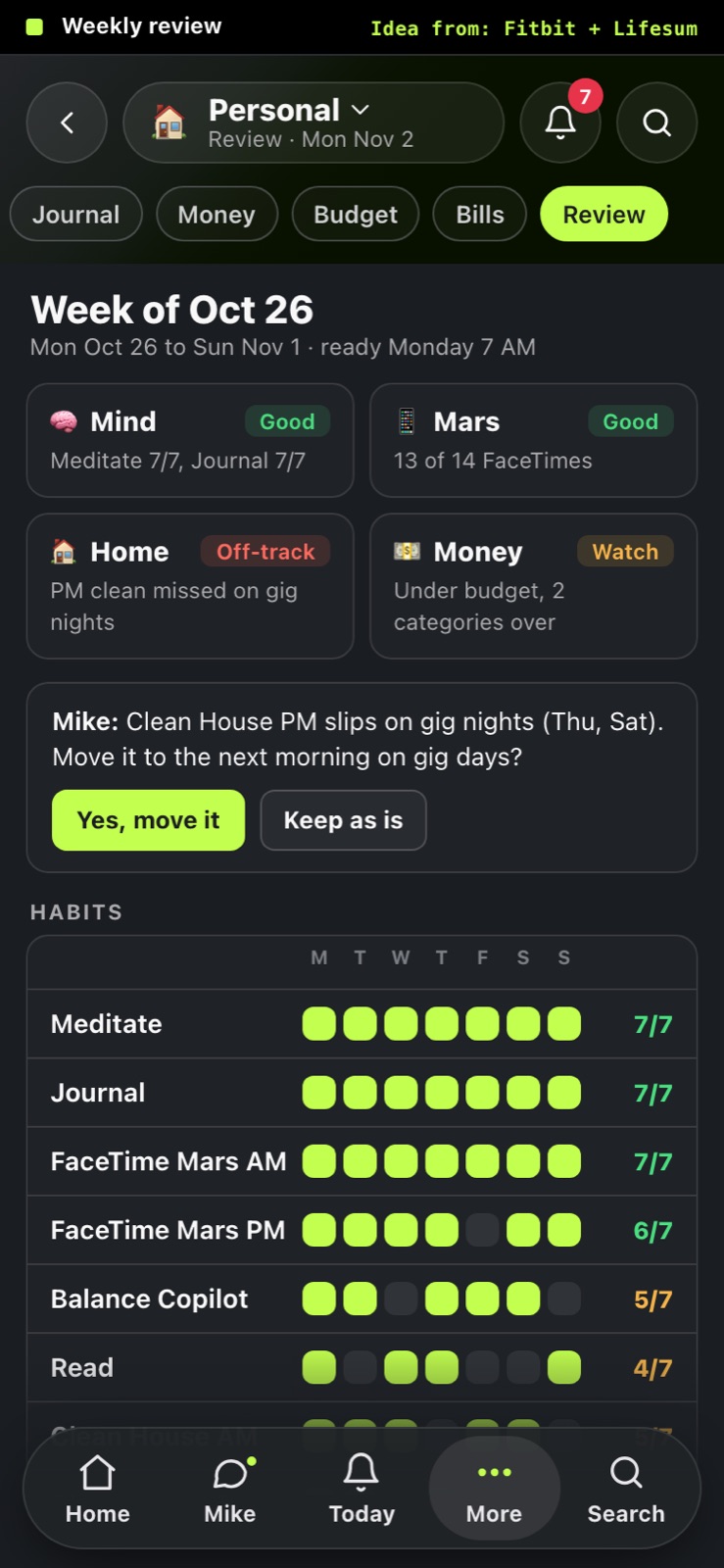
Idea from: Google Health (Fitbit) · Lifesum · pillowtalk · WHOOP
Hold the mic on Today and talk; each thing Mike files (habit ticked, expense logged, reminder set) pops in as a card with Undo, while the live transcript runs underneath.
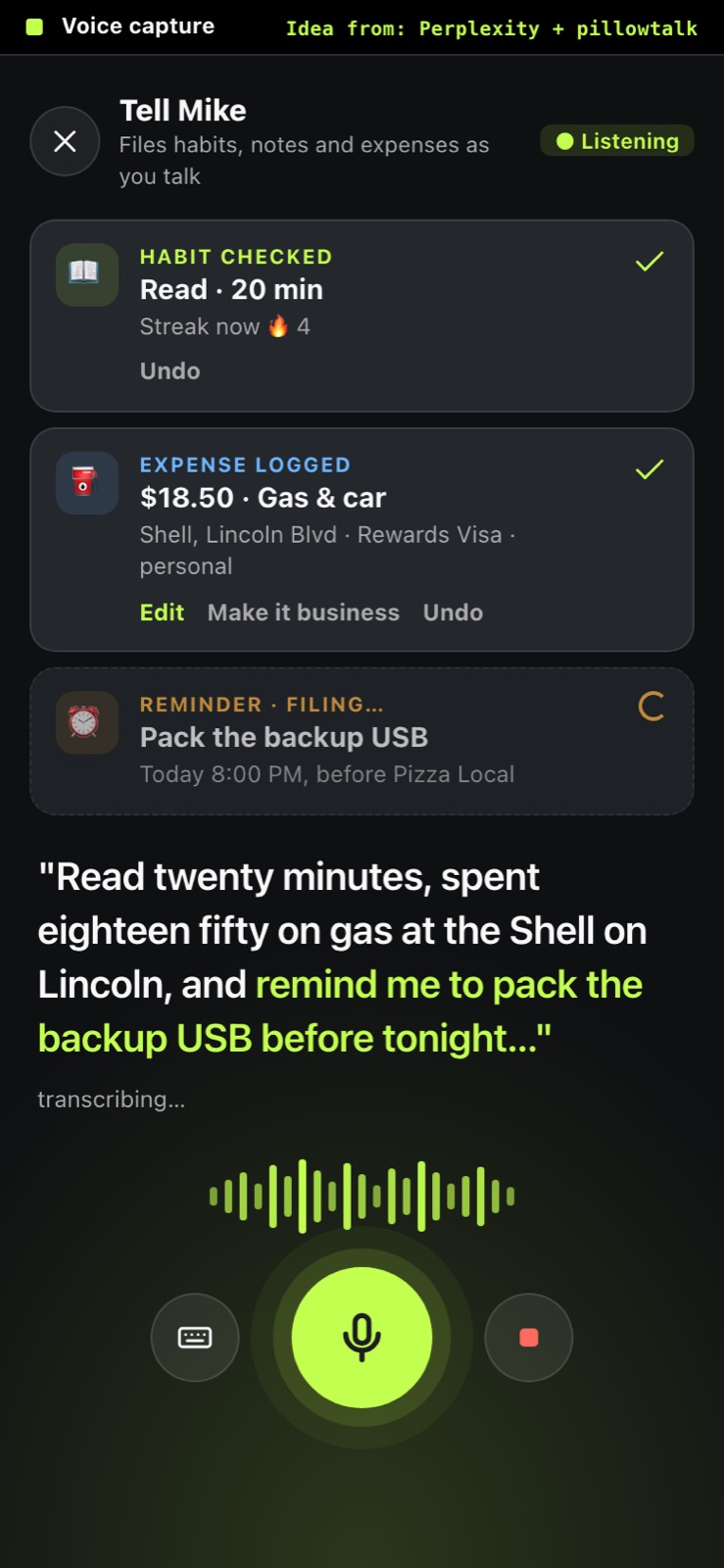
Idea from: Perplexity · pillowtalk · Copilot Money
Financing, tax buckets, contracts, invoices
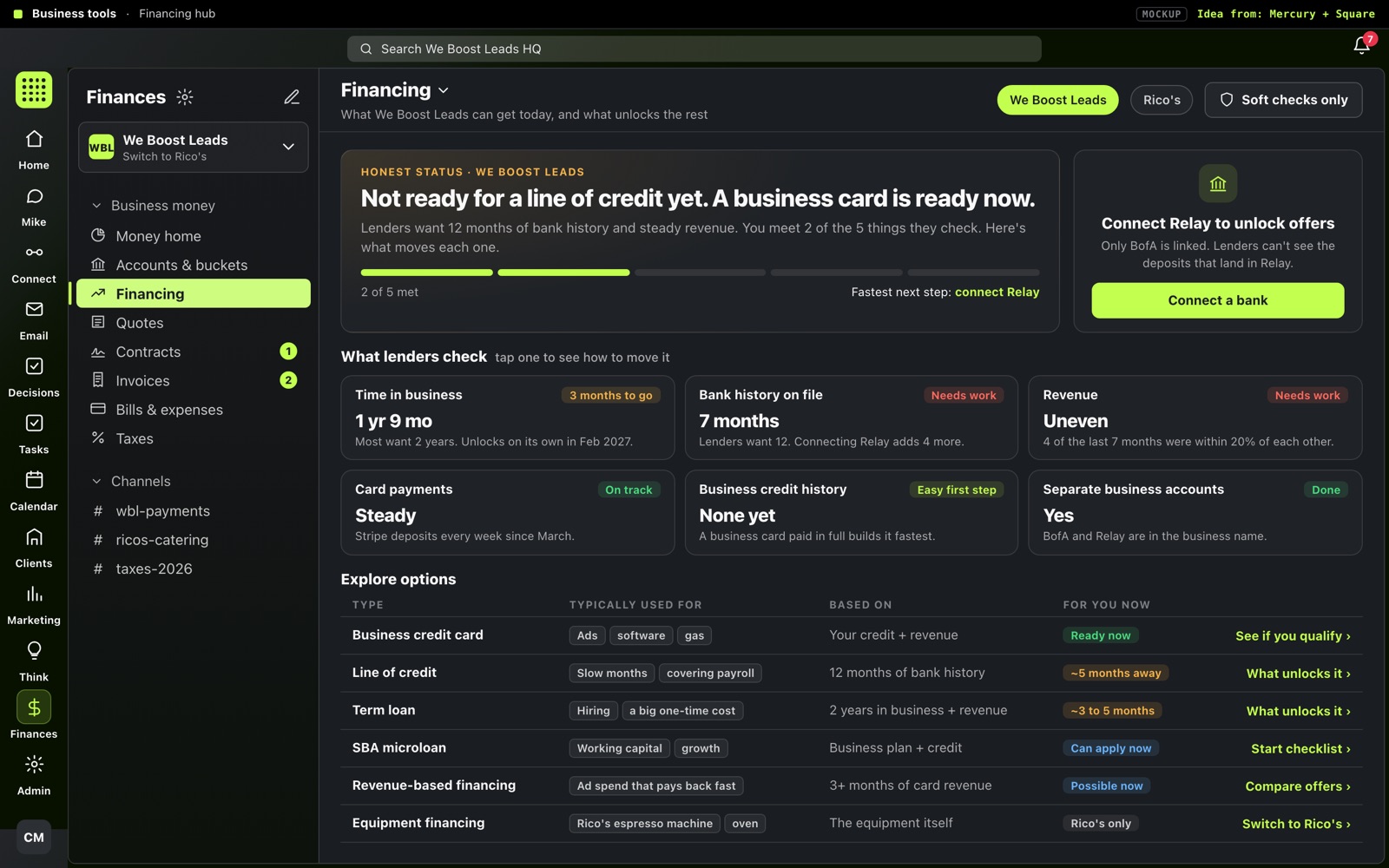
Tells you straight what you can get today (a business card) and what you can't yet (a line of credit), shows the six things lenders check with what moves each one, and a table of every option with what it's for and when it unlocks.
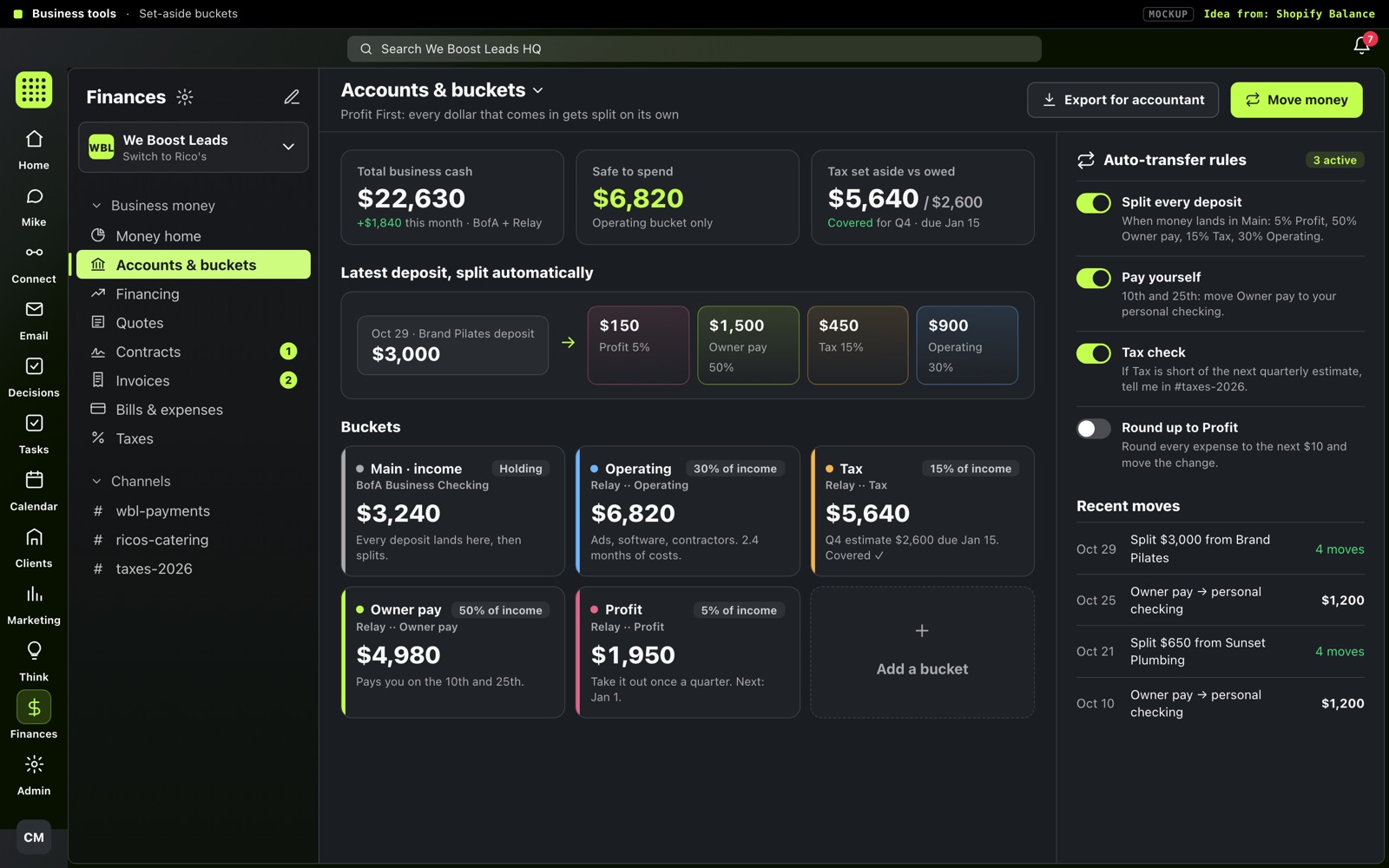
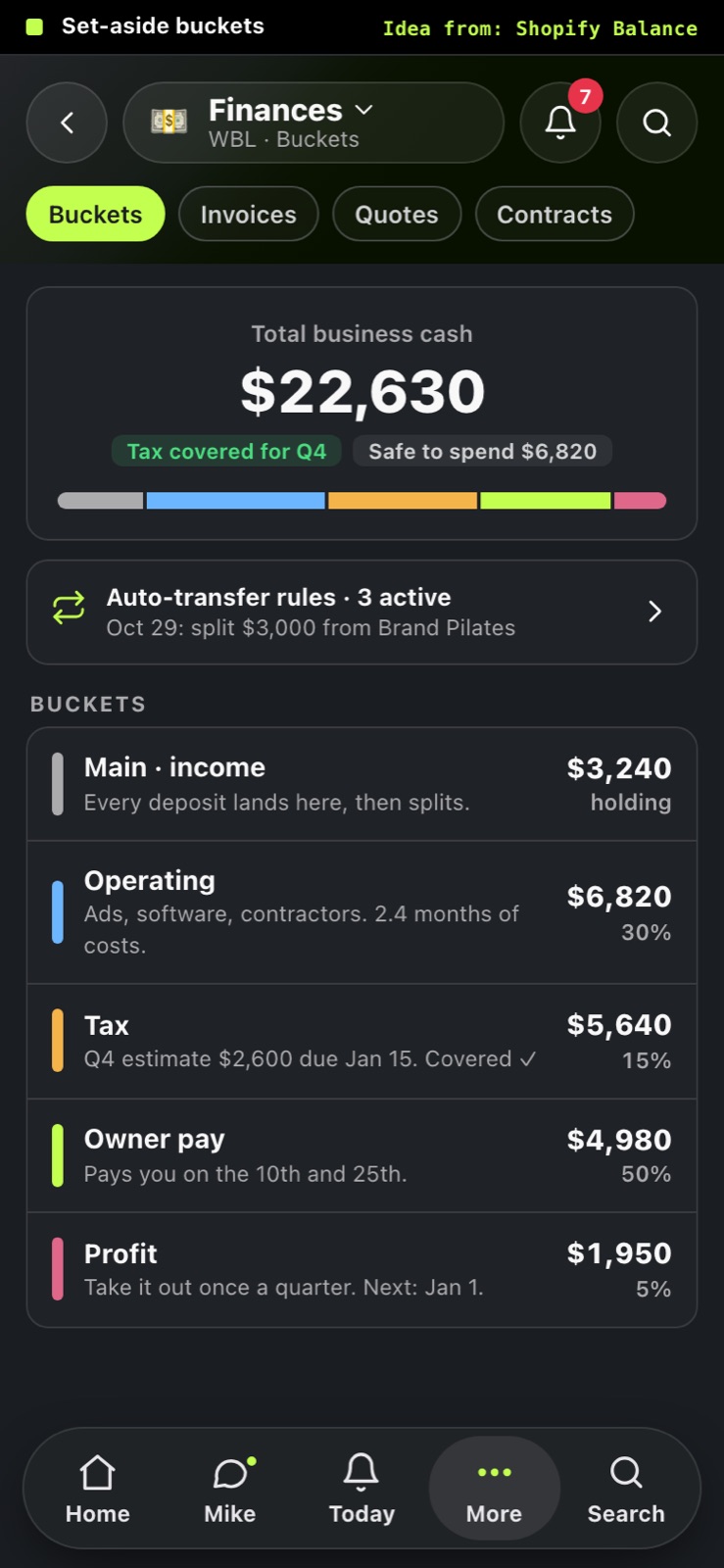
BofA and the Relay sub-accounts shown as Main / Operating / Tax / Owner pay / Profit, each deposit split on its own by visible rules, and a plain "tax set aside vs owed" check against the next quarterly estimate.
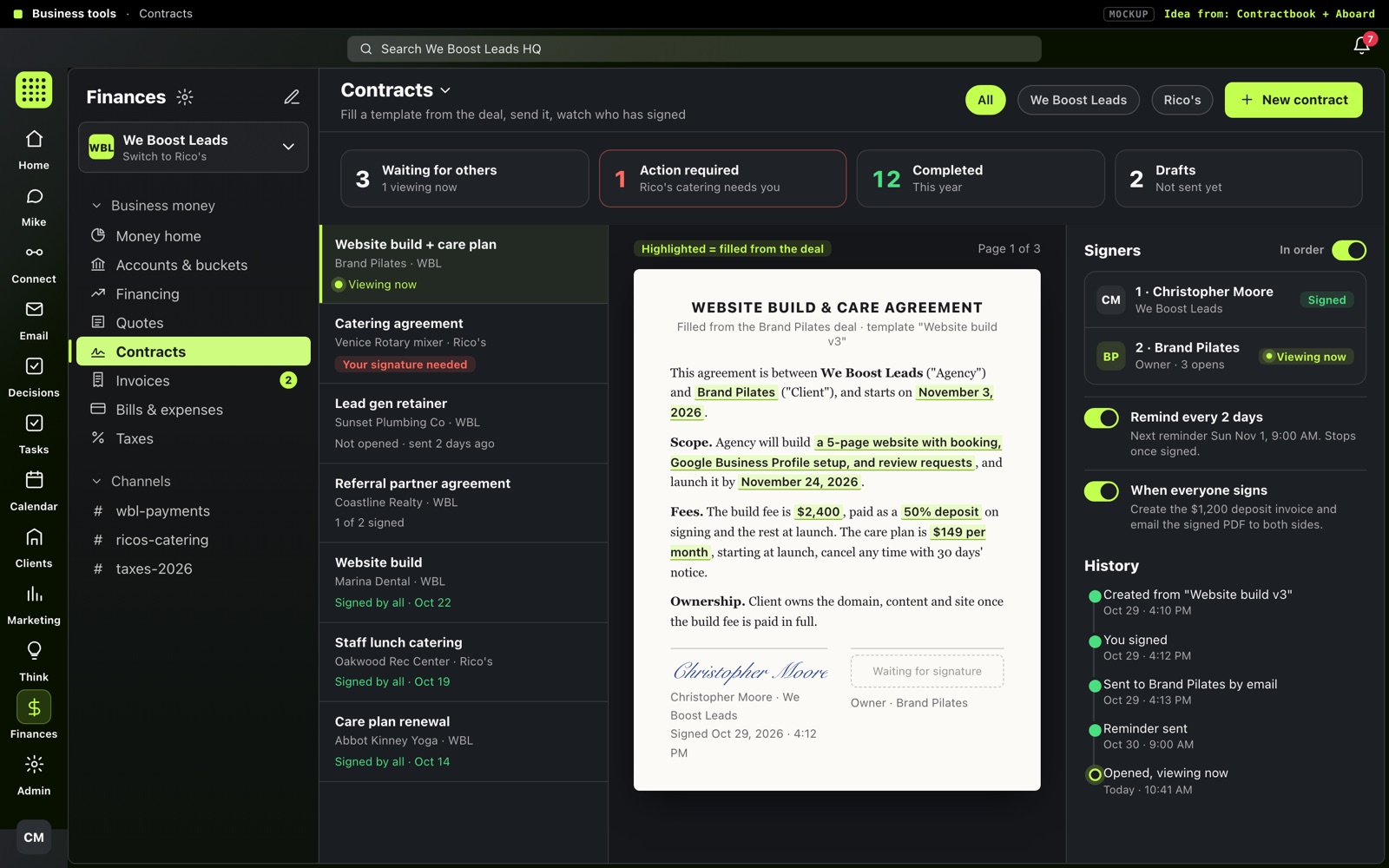
Counters for waiting / your turn / done, a list of every contract, the document with the deal's details filled in and highlighted, and a side panel showing each signer live (Signed, Viewing now), automatic reminders, and the history.
Idea from: Contractbook · Aboard · WeTransfer Sign
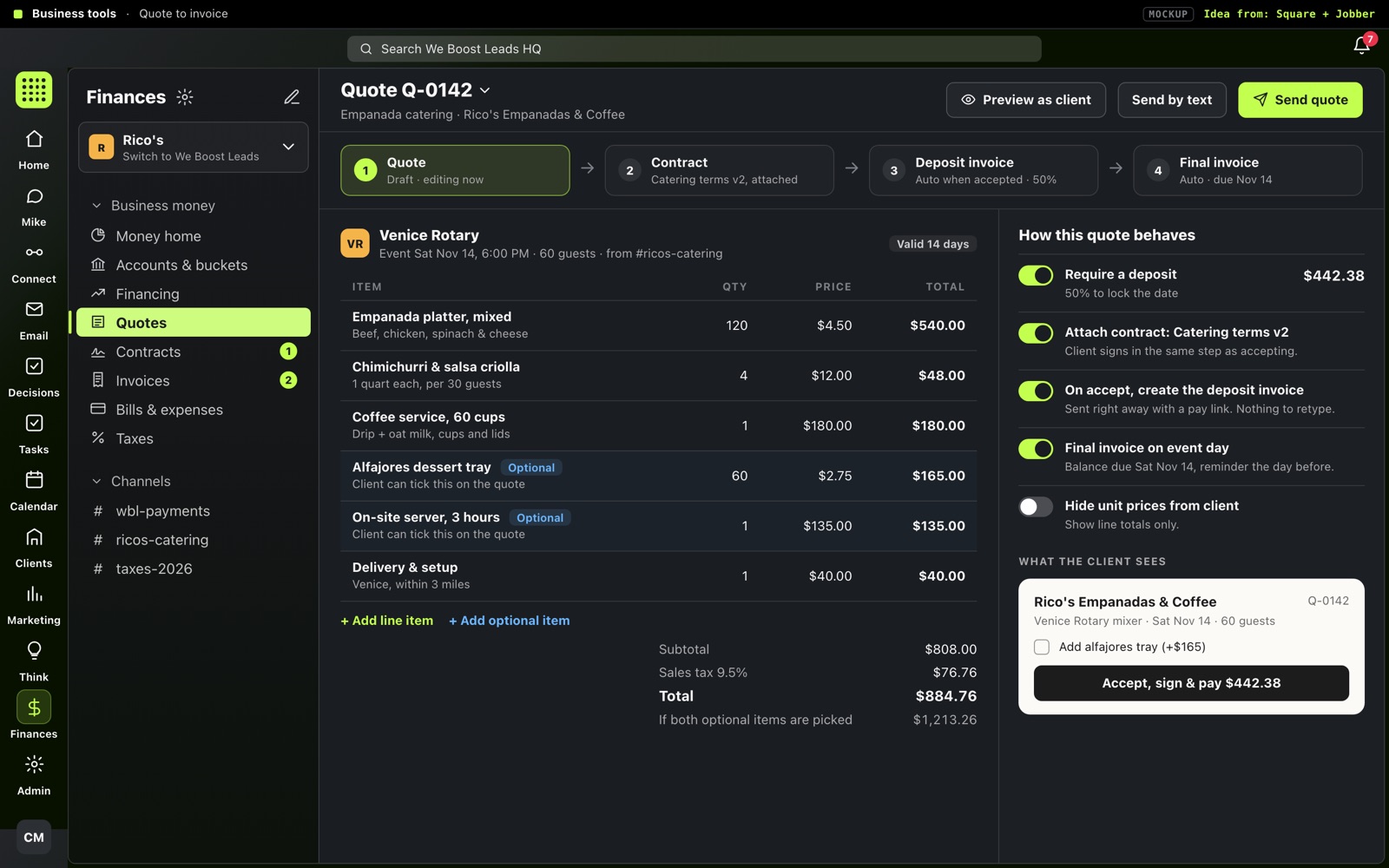
Build a quote with optional add-ons the client can tick and a required deposit; the contract rides along, and when the client accepts, the deposit invoice and the final invoice create themselves. Works for Rico's catering and WBL website quotes.
Open / Overdue / Paid totals across both businesses, every invoice with a little bar for deposit and final payments, and a side panel with the payment schedule, a pay link (copy, text, QR) and a timeline of what happened.
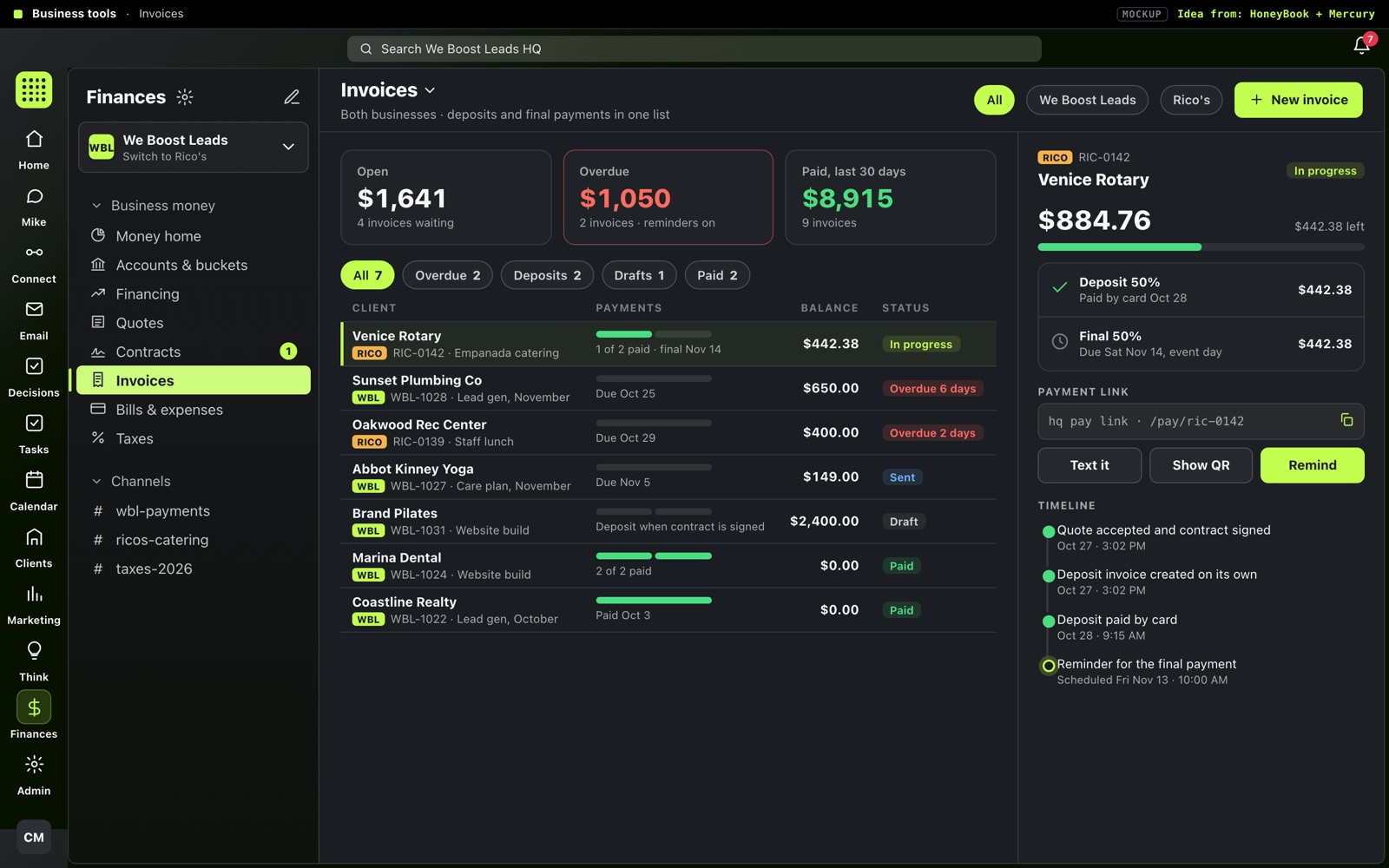
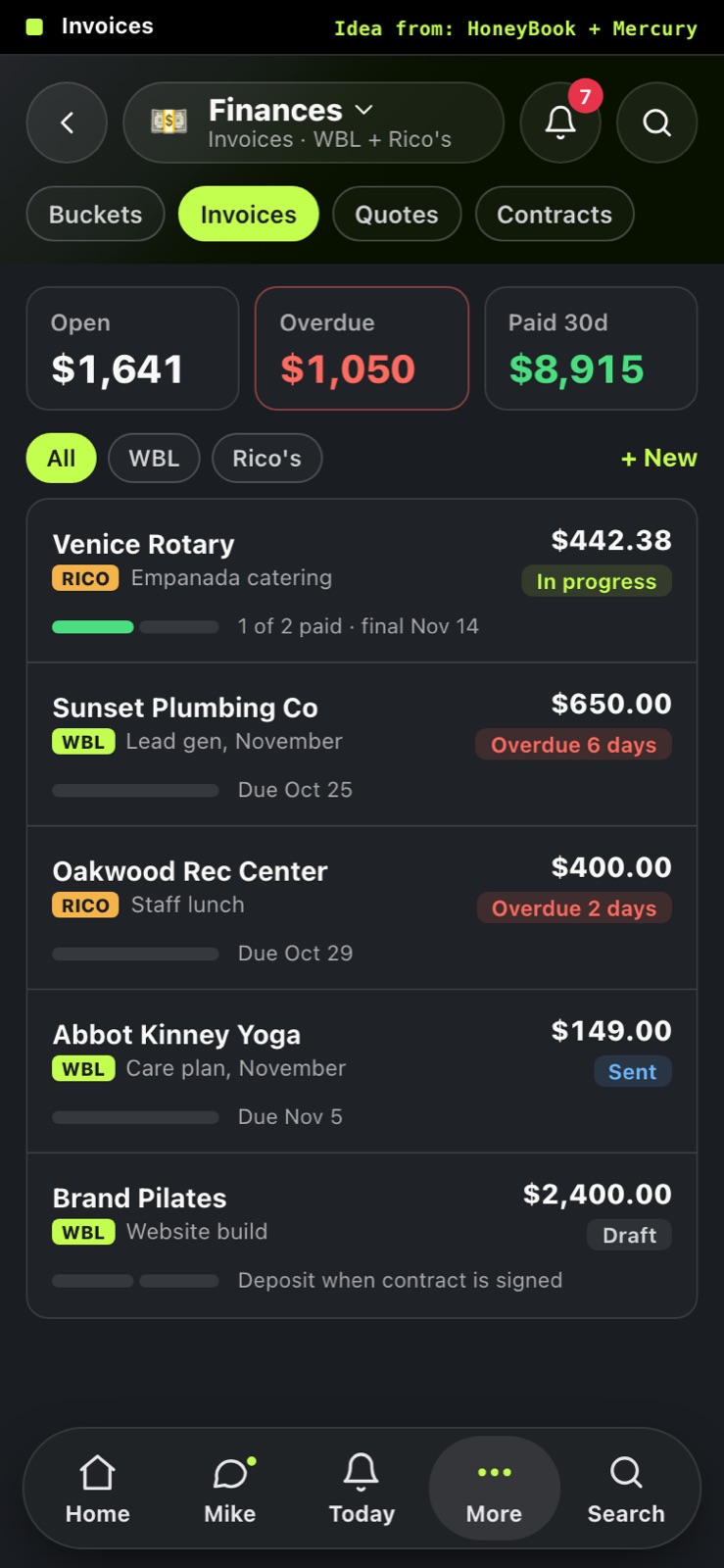
Idea from: HoneyBook · Mercury · QuickBooks
Form on the left, the real invoice on the right updating as you type, in three short steps. The deposit / final split is set right in the form and the client sees a single "Pay deposit" button.
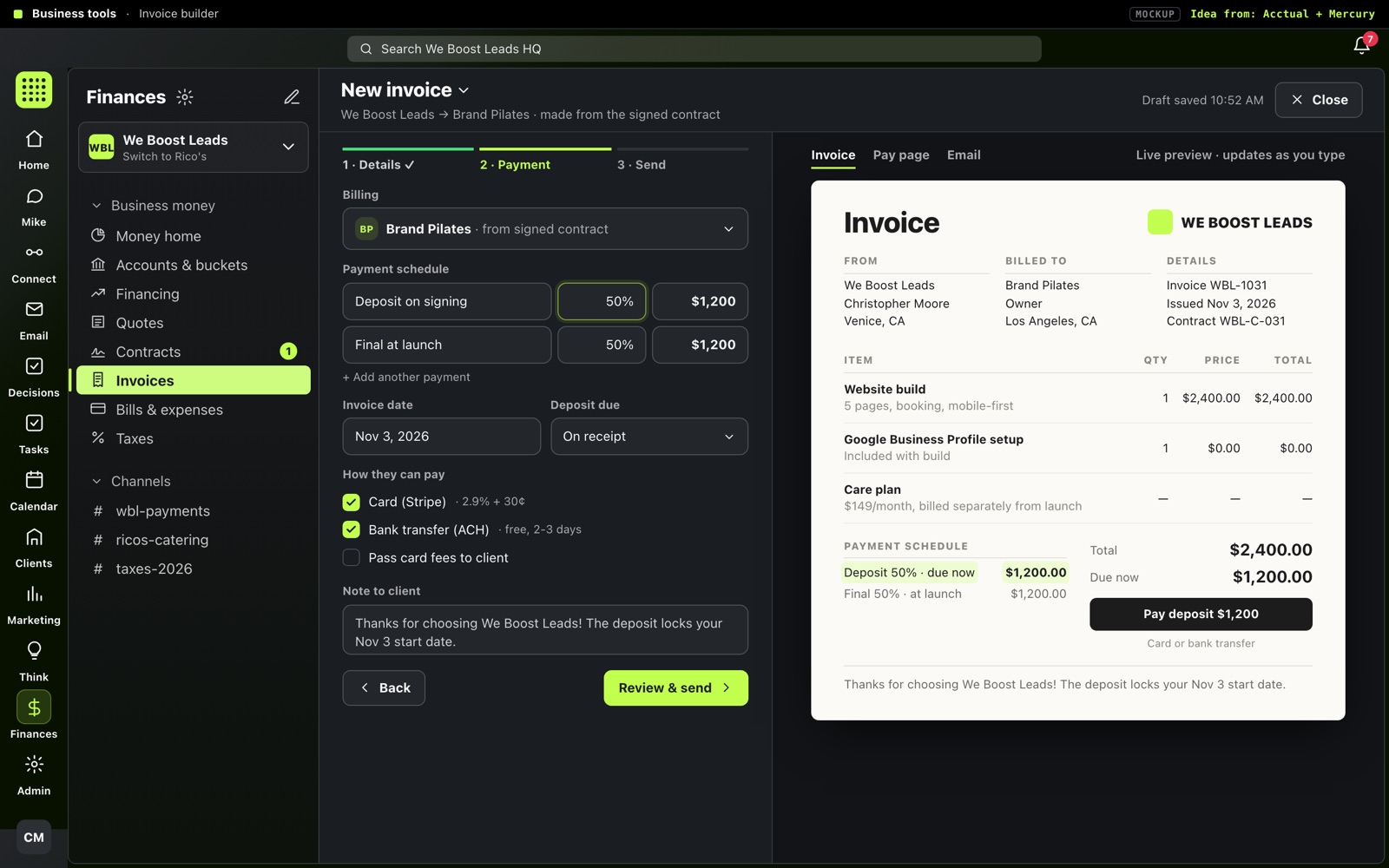
Idea from: Acctual · Mercury · Revolut Business